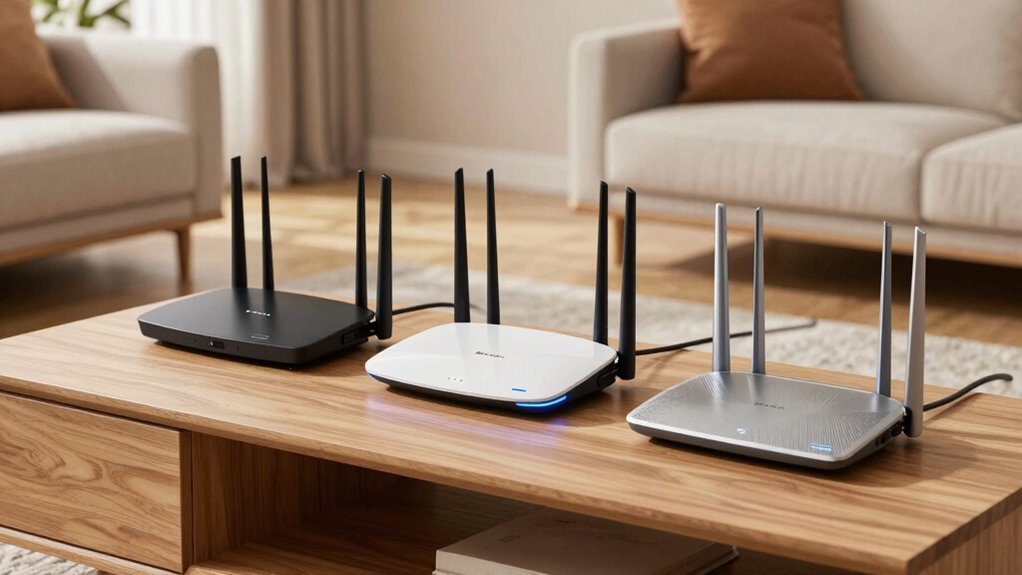

Choosing a router capable of covering a large home can be a challenge. The best options today include high-speed WiFi 7 models like the TP-Link Archer BE600 for cutting-edge performance, and mesh systems such as the TP-Link Deco X55 for seamless coverage across sprawling spaces. Meanwhile, WiFi 6E routers like the TP-Link AXE5400 provide a balance of speed and future-proofing, while the NETGEAR Nighthawk BE9300 offers a reliable, user-friendly option. Each of these picks balances speed, coverage, and ease of setup, but they come with specific tradeoffs that make them better suited to different types of large homes and user needs.
Key Takeaways
- WiFi 7 routers like the TP-Link Archer BE600 deliver the fastest speeds but come with a higher price and complex setup.
- Mesh systems such as the TP-Link Deco X55 excel in providing seamless coverage over very large areas, ideal for sprawling homes.
- WiFi 6E routers like the TP-Link AXE5400 offer a blend of speed and future-proofing but may require more technical setup.
- Wired port options vary significantly; consider your wired device needs when choosing a router.
- Security features and ease of management differ, impacting long-term usability and network safety.
| TP-Link Tri-Band WiFi 7 Router (Archer BE600) |  | Best Overall for Cutting-Edge Performance | WiFi Technology: WiFi 7 | Bands: Tri-band (6GHz, 5GHz, 2.4GHz) | Total Bandwidth: 9.7 Gbps | VIEW ON AMAZON | See Our Full Breakdown |
| TP-Link Deco X55 AX3000 WiFi 6 Mesh System (3-Pack) |  | Best for Seamless Large-Scale Coverage | Wi-Fi Standard: Wi-Fi 6 (AX3000) | Coverage: Up to 6500 sq ft | Maximum Devices: 150 | VIEW ON AMAZON | See Our Full Breakdown |
| TP-Link AXE5400 Tri-Band WiFi 6E Router |  | Best for Speed and Future-Proofing | WiFi Speed: up to 5400 Mbps | WiFi Bands: Tri-Band (6 GHz, 5 GHz, 2.4 GHz) | 6 GHz Speed: 2402 Mbps | VIEW ON AMAZON | See Our Full Breakdown |
| NETGEAR Nighthawk WiFi 7 Router (BE9300) |  | Best for High-Speed, Reliable Coverage | Wireless Speed: 9.3Gbps | Bands: Tri-band (2.4 GHz, 5 GHz, 6 GHz) | Coverage: 2,500 sq. ft. | VIEW ON AMAZON | See Our Full Breakdown |
| TP-Link AX5400 WiFi 6 Router (Archer AX73) |  | Best Budget Performance for Large Homes | Max Speed: 5400 Mbps | Coverage: 2000 sq. ft. | WiFi Standard: WiFi 6 | VIEW ON AMAZON | See Our Full Breakdown |
| routers for large home | Coverage |
|---|---|
| TP-Link Tri-Band WiFi 7 Router | Up to 2,600 sq. ft. |
| TP-Link Deco X55 AX3000 WiFi 6 | Up to 6500 sq ft |
| TP-Link AXE5400 Tri-Band WiFi | — |
| NETGEAR Nighthawk WiFi 7 Route | 2,500 sq. ft. |
| TP-Link AX5400 WiFi 6 Router | 2000 sq. ft. |
More Details on Our Top Picks
TP-Link Tri-Band WiFi 7 Router (Archer BE600)
The TP-Link Archer BE600 stands out for its support of WiFi 7, promising ultra-fast speeds and minimal latency. Its tri-band configuration and multi-gigabit ports make it ideal for large homes where multiple high-bandwidth activities occur simultaneously, such as 4K streaming, gaming, and smart home device management. Compared with other options, it offers superior speed and future-proofing but at a premium price. The setup process can be complex for non-technical users, and only compatible devices can leverage WiFi 7’s full potential. This model is best suited for tech-savvy households seeking top-tier performance and willing to invest in future-proof technology.
Pros:- Supports the latest WiFi 7 technology for high-speed, low-latency connections
- Wide coverage suitable for large homes with multiple devices
- Multiple multi-gigabit ports for fast wired connections
- Advanced security features with TP-Link HomeShield
Cons:- Complex setup may challenge non-technical users
- Premium price compared to older WiFi standards
- Requires compatible devices to fully utilize WiFi 7
Best for: Tech enthusiasts and gamers who prioritize speed and future-proofing in a large home.
Not ideal for: Users seeking a simple setup or on a tight budget, as this model requires compatible devices and technical familiarity.
- WiFi Technology:WiFi 7
- Bands:Tri-band (6GHz, 5GHz, 2.4GHz)
- Total Bandwidth:9.7 Gbps
- Coverage:Up to 2,600 sq. ft.
- Ports:1x 10 Gbps WAN/LAN, 1x 2.5 Gbps WAN/LAN, 3x 2.5 Gbps LAN, USB 3.0
- Processor:Quad-core CPU
Our verdict“A high-performance, future-proof choice for large homes with demanding internet needs, despite its complexity and cost.”
TP-Link Deco X55 AX3000 WiFi 6 Mesh System (3-Pack)
The TP-Link Deco X55 mesh system is designed for very large homes, offering up to 6,500 square feet of coverage with multiple nodes. Its Wi-Fi 6 technology supports up to 150 devices, making it a strong choice for households with many smart devices or family members. The system is easy to set up via the Deco app, and its AI-driven mesh technology ensures seamless roaming from room to room. Compared to single routers, this system excels in creating a cohesive network across sprawling spaces, but it does require a separate modem, adding to the overall setup cost. This pick makes the most sense for large homes where consistent coverage and device capacity are priorities.
Pros:- Provides extensive coverage with seamless Wi-Fi 6 mesh technology
- Supports a large number of devices reliably
- Includes multiple Gigabit Ethernet ports
- Easy to set up and manage via the Deco app
Cons:- Requires a modem for most internet providers
- Additional equipment increases overall cost
- Mesh setup can be complex in very challenging environments
Best for: Large households needing extensive, reliable Wi-Fi coverage with simple management.
Not ideal for: People with small homes or minimal device needs, as the mesh system’s advantages are less relevant in smaller spaces.
- Wi-Fi Standard:Wi-Fi 6 (AX3000)
- Coverage:Up to 6500 sq ft
- Maximum Devices:150
- Ethernet Ports:3 per unit, 6 total (2-pack)
- Mesh Technology:AI-Driven Mesh
Our verdict“An excellent, scalable solution for large homes that need consistent, high-performance Wi-Fi over a wide area.”
TP-Link AXE5400 Tri-Band WiFi 6E Router
The TP-Link AXE5400 supports WiFi 6E, offering speeds up to 5400 Mbps across three bands, including the new 6 GHz spectrum. Its dual-core CPU and enhanced heat dissipation ensure reliable performance, especially in larger homes where high-speed connections are critical. The router supports EasyMesh, allowing for seamless integration with other mesh nodes, making it suitable for those wanting a flexible, high-performance network. Compared to WiFi 6 options, this model offers more bandwidth and less interference, but its setup can be more complex, and it relies on a compatible modem. It’s best suited for users who want cutting-edge speed and are comfortable managing advanced networking features.
Pros:- Fast tri-band WiFi speeds up to 5400 Mbps
- Supports EasyMesh for seamless whole-home coverage
- Enhanced heat dissipation for reliable performance
- Future-proof with WiFi 6E and 6 GHz spectrum
Cons:- Requires compatible modem, adding to setup complexity
- Complex installation for non-technical users
- Higher cost due to advanced features
Best for: Tech-savvy users seeking top-tier speeds and future-proofing in large or complex home layouts.
Not ideal for: Less experienced users or those with modest internet needs, due to its complex setup and advanced features.
- WiFi Speed:up to 5400 Mbps
- WiFi Bands:Tri-Band (6 GHz, 5 GHz, 2.4 GHz)
- 6 GHz Speed:2402 Mbps
- 5 GHz Speed:2402 Mbps
- 2.4 GHz Speed:574 Mbps
- CPU:1.0 GHz dual-core
Our verdict“A powerful choice for speed-focused households willing to manage a more complex setup and invest in future-proof technology.”
NETGEAR Nighthawk WiFi 7 Router (BE9300)
The NETGEAR Nighthawk BE9300 offers speeds up to 9.3 Gbps thanks to tri-band WiFi 7, designed to handle large homes and multiple devices efficiently. Its coverage of approximately 2,500 sq. ft. and support for up to 100 devices makes it a practical choice for demanding households that prioritize speed and ease of management. The router’s mobile app simplifies setup and control, while security features like WPA3 and NETGEAR Armor enhance safety. However, its coverage area is slightly less extensive than some mesh systems, and the performance depends heavily on the connected devices and internet plan. This model suits those wanting fast, straightforward performance without extensive mesh configurations.
Pros:- High wireless speeds up to 9.3 Gbps suitable for gaming and streaming
- Wide coverage for large homes
- Multiple wired ports for fast wired connections
- Easy management via the Nighthawk app
Cons:- Performance relies on connected devices and internet plan
- Mesh coverage may be better for very large or multi-floor homes
- NETGEAR Armor requires subscription after trial
Best for: Large homes with high-speed needs and a preference for a simple, powerful router.
Not ideal for: Very large or multi-story homes where mesh systems might provide more uniform coverage.
- Wireless Speed:9.3Gbps
- Bands:Tri-band (2.4 GHz, 5 GHz, 6 GHz)
- Coverage:2,500 sq. ft.
- Device Support:Up to 100 devices
- LAN Ports:Two 2.5 Gigabit, two 1 Gigabit
Our verdict“A strong and straightforward choice for large homes demanding high speeds and simple management, with some limitations in coverage area.”
TP-Link AX5400 WiFi 6 Router (Archer AX73)
The TP-Link Archer AX73 offers impressive speeds up to 5400 Mbps, supporting multiple devices with MU-MIMO and OFDMA technology. It covers approximately 2,000 sq. ft., which is sufficient for many large homes, especially when combined with strategic placement. Its USB port allows media sharing, and security features like WPA3 help keep the network safe. Compared with more expensive tri-band or WiFi 7 options, it balances cost and performance effectively but may require a modem, adding an extra setup step. This router makes the most sense for users who want solid high-speed coverage without overspending.
Pros:- High-speed WiFi 6 performance for streaming and gaming
- Coverage up to 2,000 sq. ft. with multiple antennas
- Supports MU-MIMO and OFDMA for multiple devices
- Includes USB port for media sharing
Cons:- Requires a modem for most internet providers
- Performance may vary based on obstacles and environment
- Coverage may need extension for very large homes
Best for: Budget-conscious households needing reliable Wi-Fi 6 performance over a large area.
Not ideal for: Very large, multi-floor homes or users craving WiFi 7 speeds, as coverage and speed are somewhat limited compared to higher-end options.
- Max Speed:5400 Mbps
- Coverage:2000 sq. ft.
- WiFi Standard:WiFi 6
- Antennas:6×
- USB Port:1× USB 3.0
Our verdict“A sensible, cost-effective choice that balances speed and coverage for large homes, but may need additional units for very expansive layouts.”
How We Picked
In selecting these routers, I focused on coverage area, speed capabilities, compatibility with large home layouts, and ease of setup. I prioritized models supporting the latest WiFi standards—WiFi 7, WiFi 6E, and WiFi 6—to ensure future-proofing and maximum performance. I also evaluated the number of supported devices, wired connectivity options, and security features to cater to diverse household needs, from gaming and streaming to smart home integrations. Price range and user-friendliness played roles in balancing high-end performance with practical value.
Factors to Consider When Choosing Routers For Large Homes
When selecting a router for a large home, the primary considerations are coverage, speed, device capacity, and ease of management. Large homes often have multiple floors, thick walls, and many connected gadgets, which can strain standard routers. Balancing these factors requires understanding the differences between WiFi standards, mesh versus single-router setups, and wired connection options. The right choice depends on your specific home layout, internet usage habits, and future-proofing needs. Here’s what to keep in mind before making a purchase.
Coverage Area
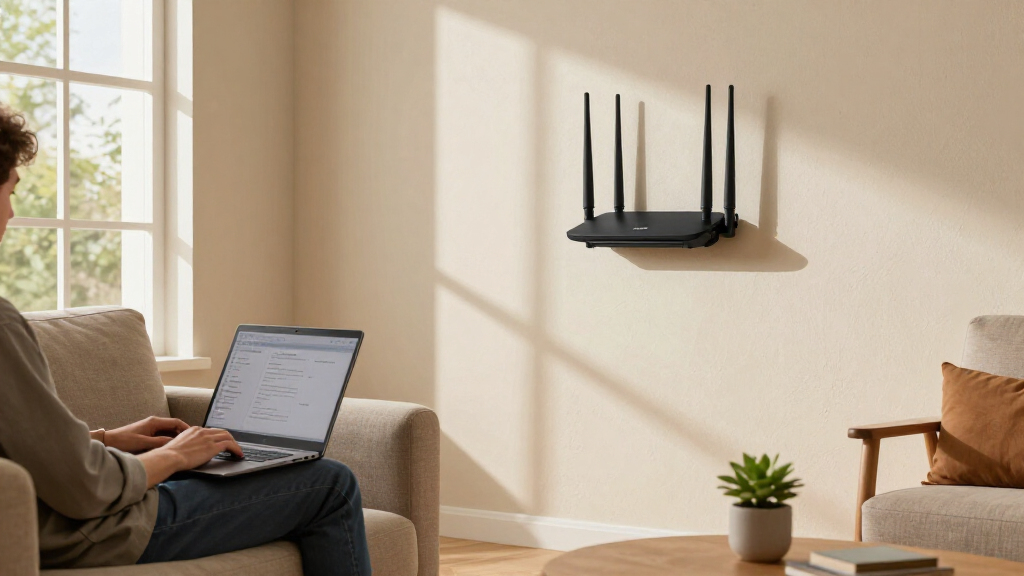
For large homes, the primary goal is broad coverage. Mesh systems like the Deco X55 excel here, spreading Wi-Fi seamlessly across sprawling spaces. Traditional routers with high power and multiple antennas can also do well if placed strategically, but mesh setups minimize dead zones and support roaming devices smoothly. Keep in mind that walls, floors, and layout significantly impact effective coverage, so measure your space carefully and consider systems designed for large areas.
Speed and Technology
Speed requirements vary based on usage. If you’re into 4K/8K streaming, gaming, or large file transfers, routers supporting WiFi 6 or WiFi 7 can handle high data loads with less congestion. WiFi 7, like the Archer BE600, offers future-proof speeds but comes at a higher cost and complexity. WiFi 6E and WiFi 6 provide excellent performance at a more accessible price point, with better device support and interference management. Choose a standard aligned with your current devices and plans for future upgrades.
Device Capacity and Wired Connectivity
Large households often have many smart devices, computers, and entertainment units. Ensure your router supports a high number of devices—many WiFi 6 and WiFi 7 models do—without slowing down. Additionally, consider wired ports for stationary devices like smart TVs or gaming consoles, especially in large homes where Wi-Fi signals might weaken. Mesh systems typically offer multiple Ethernet ports per node, while single routers vary widely in this regard.
Setup and Management
Ease of setup and ongoing management can make a significant difference, especially for users unfamiliar with advanced networking. Mesh systems like Deco X55 emphasize user-friendly app-based setup, while high-end routers like the Archer BE600 may require technical knowledge. Features like guest networks, parental controls, and security updates via mobile apps or web interfaces are also worth considering for long-term convenience and safety.
Frequently Asked Questions
What is the best type of router for a very large home?
For very large homes, mesh systems like the TP-Link Deco X55 are often the best choice because they provide seamless coverage over extensive areas, reducing dead zones. They are designed to work together to create a unified network, making roaming between rooms smooth and maintaining consistent speeds. Traditional high-power routers can work if placed strategically, but mesh systems tend to be more adaptable and easier to manage across sprawling layouts.
Is WiFi 7 worth it for large homes?
WiFi 7 offers the fastest speeds and lowest latency currently available, making it attractive for large homes with demanding internet activities. However, its full benefits are only realized if your devices support WiFi 7. For most households, WiFi 6 or WiFi 6E offers excellent performance at a more affordable price and with broader device compatibility. WiFi 7 is a future-proof investment but might be overkill unless you need the highest possible speeds today.
How many wired ports should I look for in a large-home router?
The number of wired ports depends on your wired device needs. For large homes with multiple stationary devices like smart TVs, gaming consoles, or NAS drives, look for routers offering at least four Gigabit ports. Some mesh systems also provide multiple Ethernet ports per node, which can reduce the need for additional switches. Wired connections are more stable and faster than Wi-Fi, especially over long distances or through walls, so prioritize routers with ample ports if you rely heavily on wired setups.
Are mesh systems better than traditional routers for large homes?
Mesh systems are generally better suited for very large homes or spaces with complex layouts because they eliminate dead zones and enable devices to roam seamlessly between nodes. Traditional routers can suffice if placed carefully and supplemented with range extenders or additional access points, but mesh setups tend to be more reliable and easier to manage over large areas. The choice depends on your home’s size, layout, and your preference for management simplicity.
What security features should I look for in a large-home router?
Security features like WPA3 encryption, automatic firmware updates, guest network support, and integrated security services such as TP-Link HomeShield or NETGEAR Armor provide better protection for your network. These features safeguard multiple connected devices against threats and unauthorized access, which is especially important in large homes with many smart gadgets. Prioritize routers that offer robust, up-to-date security options that suit your household’s privacy and safety needs.
Conclusion
For households with tech-savvy users or gaming enthusiasts, the TP-Link Archer BE600 or the TP-Link AXE5400 deliver exceptional speeds and future-ready features. Families wanting extensive, hassle-free coverage should consider the TP-Link Deco X55 mesh system, which simplifies large-area coverage without sacrificing performance. Those seeking a straightforward, high-speed experience on a budget might opt for the TP-Link Archer AX73. Ultimately, your choice hinges on your home’s size, layout, and how much you prioritize speed, ease of use, or future-proofing.