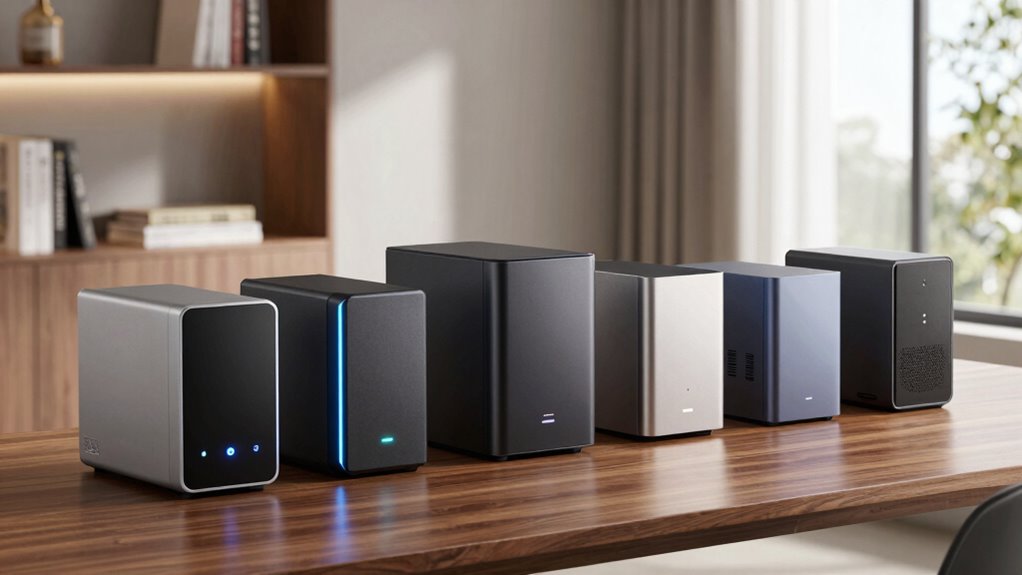
When selecting a NAS device for home, the goal is to find a balance between performance, ease of setup, and affordability. The Synology DS225+ stands out as the overall best choice due to its powerful hardware and user-friendly interface. For those new to NAS, the UGREEN NAS DH2300 offers simplicity and straightforward setup. Meanwhile, advanced users and creators may prefer the UGREEN NAS DXP2800 for its robust features and remote capabilities. Each option involves tradeoffs—more powerful models tend to cost more and require technical know-how, while budget options might compromise on speed or expandability. Continue reading for an in-depth breakdown of these top picks and what makes them suitable for different users.
Open a free Amazon Business account
Business pricing, bulk buying and tax-exempt orders.
Create a free accountAs an affiliate, we earn on qualifying purchases.
Key Takeaways
- The top picks balance performance, ease of use, and cost, with Synology models leading in user-friendly features.
- More advanced users should prioritize NAS with hardware transcoding and remote access capabilities, like the UGREEN DXP2800.
- Budget-friendly options like Buffalo and UGREEN DH2300 provide good performance for basic home storage without extensive setup.
- The difference in drive bays and hardware power significantly impacts scalability and media handling.
- Choosing the right NAS depends heavily on your technical comfort level and specific needs, such as media streaming or remote work.
| Buffalo LinkStation 210 2TB 1-Bay NAS Network Attached Storage with HDD Included |  | Best Budget-Friendly Home Storage Solution | Capacity: 2TB | Drive Bays: 1 | HDD Included: Yes | VIEW ON AMAZON | See Our Full Breakdown |
| Synology DS225+ Private Cloud Media Server – 2-Bay Diskless NAS with Intel CPU for Hardware Transcoding |  | Best for Media Enthusiasts and Small Business Use | Storage Bays: 2-Bay | CPU: Intel | Transfer Speed: 282 MB/s | VIEW ON AMAZON | See Our Full Breakdown |
| UGREEN NAS DH2300 2-Bay Personal Storage for Beginners & Home Use |  | Best for Entry-Level Users and Basic Storage Needs | Capacity: Up to 64TB | Processor: High-performance | RAM: 4GB | VIEW ON AMAZON | See Our Full Breakdown |
| Synology DS223 Home & Office 2-Bay Diskless NAS |  | Best for Centralized Data Management and Small Teams | Bays: 2 | Warranty: 2 years | Supports: Private cloud, surveillance | VIEW ON AMAZON | See Our Full Breakdown |
| UGREEN NAS DXP2800 2-Bay for Advanced Home Users, Remote Workers & Creators |  | Best for Power Users and Media Creators | Storage Capacity: Up to 80TB | Connectivity: SATA, Ethernet, USB | Hardware Platform: x86 | VIEW ON AMAZON | See Our Full Breakdown |
| Synology 2-Bay DiskStation DS223j (Diskless) |  | Best for Budget-Conscious Secure Cloud Storage | Number of Bays: 2 | Diskless: Yes | Warranty: 2 years | VIEW ON AMAZON | See Our Full Breakdown |
| nas devices for home | Warranty |
|---|---|
| Buffalo LinkStation 210 2TB 1- | 2 years |
| Synology DS225+ Private Cloud | 3 Years |
| UGREEN NAS DH2300 2-Bay Person | — |
| Synology DS223 Home & Office 2 | 2 years |
| UGREEN NAS DXP2800 2-Bay for A | — |
| Synology 2-Bay DiskStation DS2 | 2 years |
More Details on Our Top Picks
Buffalo LinkStation 210 2TB 1-Bay NAS Network Attached Storage with HDD Included
The Buffalo LinkStation 210 stands out for its straightforward setup and included hard drive, making it an accessible choice for those new to NAS devices. Compared with the Synology DS225+, it offers a more limited feature set, focusing on simple file sharing and backups without advanced media or surveillance options. The 2TB capacity, while sufficient for basic home use, may fall short for larger media libraries or multi-user households. Its 2-year warranty and US-based support add peace of mind, but the single bay means no RAID redundancy—so data protection relies solely on backups. This device makes the most sense for families or individuals seeking hassle-free, cost-effective storage without requiring extensive customization or expansion.
Pros:- Easy to set up with included HDD and straightforward network integration
- Secure file sharing with access restrictions
- 24/7 US-based support provides reliable assistance
Cons:- Limited to 2TB capacity and a single drive bay, restricting expansion
- Lacks advanced cloud or media transcoding features
Best for: Home users who need affordable, plug-and-play storage with reliable support
Not ideal for: Power users or those with large media collections who require more capacity or advanced features
- Capacity:2TB
- Drive Bays:1
- HDD Included:Yes
- Compatibility:Windows, macOS
- Warranty:2 years
- Support:24/7 US-based
Our verdict“This NAS is ideal for newcomers seeking simple, reliable storage without complex features.”
Synology DS225+ Private Cloud Media Server – 2-Bay Diskless NAS with Intel CPU for Hardware Transcoding
The Synology DS225+ excels at media streaming and data protection thanks to its Intel CPU and hardware transcoding capabilities, making it a step above the UGREEN DH2300 for multimedia tasks. While the DS225+ requires some networking know-how to set up, it supports 4K streaming and RAID configurations, offering more robust data security and media handling than the entry-level UGREEN. Its surveillance support for up to 30 IP cameras adds versatility for small home security setups. However, being diskless, it incurs additional costs for drives, and its 2-bay limit might restrict large media libraries or extensive backups. This model is best suited for users who want seamless media playback and reliable data management in a compact form.
Pros:- Supports 4K media streaming and hardware transcoding for smooth playback
- Robust data protection with RAID, snapshots, and backups
- Supports surveillance with AI detection and integration
Cons:- Requires some technical knowledge for setup and network configuration
- Additional cost for drives as it’s diskless
Best for: Home media lovers and small business owners who need reliable, high-performance streaming and backup
Not ideal for: Casual users seeking a simple storage setup or those uncomfortable with network configuration
- Storage Bays:2-Bay
- CPU:Intel
- Transfer Speed:282 MB/s
- Surveillance Support:Up to 30 IP cameras
- Warranty:3 Years
- Diskless:Yes
Our verdict“This NAS offers powerful multimedia and security features, best for users with some technical experience looking for advanced capabilities.”
UGREEN NAS DH2300 2-Bay Personal Storage for Beginners & Home Use
The UGREEN NAS DH2300 is designed for newcomers seeking simple, reliable storage with minimal fuss. Its easy setup, combined with automatic backups and AI photo organization, makes it appealing for families and individuals new to NAS devices. Unlike the Synology DS223, which offers more collaboration tools, the DH2300 focuses on user-friendly media sharing and security features like two-factor authentication. Its lack of built-in Wi-Fi means users need a wired connection, which could be inconvenient for some. Also, as drives are not included, the initial investment depends on compatible HDDs. This model is perfect for users who want a straightforward, secure storage solution without the complexity of advanced features like Docker or virtual machines.
Pros:- Simple to set up and use, ideal for beginners
- Supports automatic backups and AI photo organization
- Strong security features for privacy protection
Cons:- No built-in Wi-Fi support, requiring wired Ethernet
- Storage drives sold separately, adding to initial cost
Best for: Beginners or small households seeking simple, secure storage and media sharing
Not ideal for: Advanced users or those needing extensive storage capacity or virtual machine support
- Capacity:Up to 64TB
- Processor:High-performance
- RAM:4GB
- Network:1GbE
- File Transfer Speed:125MB/s
- Security Features:RAID, two-factor authentication
Our verdict“This NAS suits users prioritizing ease of use and security over advanced features or large capacity.”
Synology DS223 Home & Office 2-Bay Diskless NAS
The Synology DS223 offers a reliable entry point for home and small office users needing centralized storage. Its intuitive interface simplifies setup compared to the more complex UGREEN model, while still supporting private cloud creation, file sharing, and surveillance. The 2-bay configuration provides some redundancy, but for larger storage needs, expanding beyond this may require additional hardware. While it lacks advanced multimedia features like hardware transcoding, it compensates with solid data management and collaboration tools. Being diskless, it demands compatible drives, which adds initial cost. This device makes the most sense for users who want a dependable, easy-to-manage NAS without the complexity of enterprise solutions.
Pros:- Centralizes data from multiple devices with easy access
- Supports private cloud and file sharing without extra fees
- Includes built-in surveillance support for IP cameras
Cons:- Limited to 2 bays, restricting large storage capacity
- Entry-level features may not satisfy power users with demanding needs
Best for: Home offices or small households needing organized, secure data sharing and surveillance support
Not ideal for: Power users requiring high-end media streaming or large-scale storage expansion
- Bays:2
- Warranty:2 years
- Supports:Private cloud, surveillance
- Compatibility:Multiple OS
- Setup:Requires network configuration
- Drive Compatibility:HDDs sold separately
Our verdict“This NAS suits users seeking a straightforward, reliable solution for data management and basic surveillance.”
UGREEN NAS DXP2800 2-Bay for Advanced Home Users, Remote Workers & Creators
The UGREEN DXP2800 is tailored for advanced users needing high-capacity, high-performance storage. Its support for up to 80TB and inclusion of hardware interfaces like SATA and Ethernet makes it suitable for demanding media libraries and professional workflows. Its AI surveillance features add value for security-conscious users, and its compatibility with multiple platforms supports diverse setups. However, the absence of included drives and the complex setup process can be barriers for less technical users, and initial costs rise quickly with drive purchases. Compared with the Synology DS225+, it offers more raw capacity and hardware versatility but demands a higher level of technical skill and investment.
Pros:- High-performance hardware capable of handling large digital libraries
- Supports up to 80TB with multiple drive options
- AI-powered surveillance for home security
Cons:- No included drives, increasing initial costs
- Setup can be complex for non-technical users
Best for: Media professionals, remote workers managing large data sets, and content creators needing robust internal storage
Not ideal for: Casual home users or those uncomfortable with complex hardware installation
- Storage Capacity:Up to 80TB
- Connectivity:SATA, Ethernet, USB
- Hardware Platform:x86
- Form Factor:ATX
- Speed:Read: 312 Mbps, Transfer: 334 Mbps
- Enclosure Material:Plastic
Our verdict“This NAS is ideal for users who need extensive storage and performance for demanding media and data tasks.”
Synology 2-Bay DiskStation DS223j (Diskless)
The Synology DS223j stands out for its focus on secure private cloud storage and straightforward file sharing, making it an excellent choice for users prioritizing data privacy. Compared with the Synology DS225+, which offers a more powerful CPU for media transcoding, the DS223j emphasizes security and backup features, though it sacrifices processing power. Its support for home security via IP camera monitoring adds value for those wanting an all-in-one solution. The 2-bay design keeps things simple but limits total storage capacity unless paired with larger disks. This device is ideal for small households or remote workers needing reliable backups and secure access without extensive media processing needs. The main tradeoff is that users must purchase disks separately, which can increase initial costs. While hardware is dependable with a 2-year warranty, it’s less suited for large data collections or high-demand media tasks. The DS223j makes the most sense for budget-conscious users seeking secure, private cloud storage and basic security features.
Pros:- Affordable entry point into private cloud storage
- Supports multi-platform access and automated backups
- Includes home security features with IP camera monitoring
- Reliable hardware with a 2-year warranty
Cons:- Requires separate disks for storage, adding to total cost
- Limited to 2 bays, restricting maximum capacity for large data needs
- Lacks advanced media processing capabilities
Best for: Small households or remote workers seeking secure backups and private cloud access on a budget
Not ideal for: Power users needing extensive media transcoding or large storage capacity without adding disks
- Number of Bays:2
- Diskless:Yes
- Warranty:2 years
- Supported Protocols:SMB, AFP, WebDAV
- Processor:Dual-core ARM CPU
- Memory:512MB RAM
- Network Ports:1 x Gigabit Ethernet
- Security Features:IP camera support, encrypted access
- Power Consumption:Approx. 12W
Our verdict“This NAS is best suited for budget-minded users prioritizing data security and simple backup solutions over large-scale storage or high-end media features.”
How We Picked
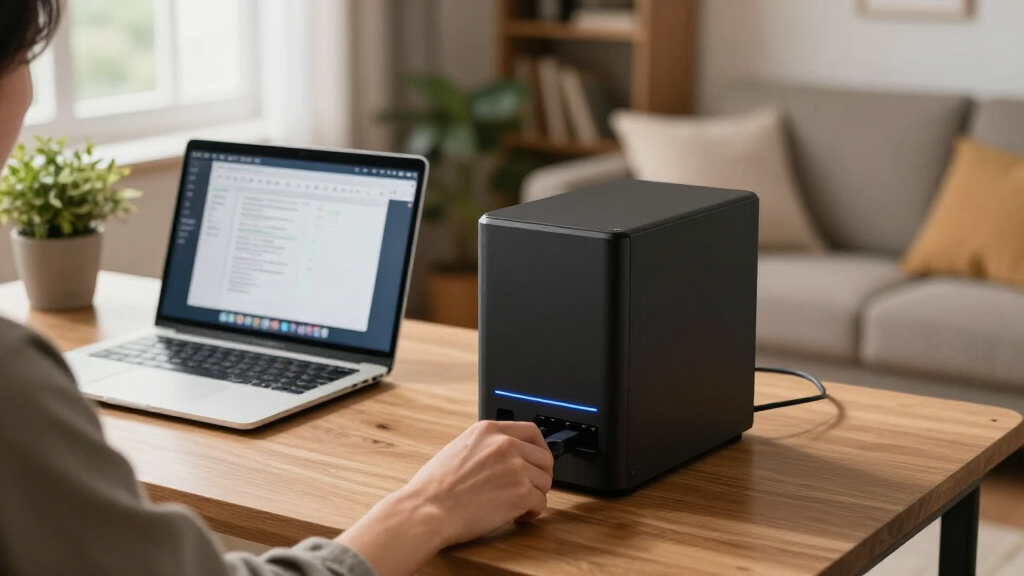
We evaluated NAS devices based on performance, ease of setup, build quality, expandability, and value for typical home users. Devices with user-friendly interfaces, reliable hardware, and good software support ranked higher, especially for beginners. We also considered hardware specs like CPU power, RAM, and network connectivity, which influence media transcoding and file transfer speeds. The ranking reflects a blend of budget, performance, and feature set, ensuring options for diverse user needs—from newcomers to power users. Tradeoffs were weighed, such as cost versus capabilities, so readers can choose models aligned with their technical comfort and future plans.Factors to Consider When Choosing Nas Devices For Home
Selecting the right NAS device for home use involves understanding several key factors. The decision should be guided not only by initial cost but also by long-term needs like storage capacity, media streaming, remote access, and ease of use. A well-chosen NAS can serve as a media server, backup hub, or even a small private cloud. By considering these factors carefully, you’ll avoid common pitfalls like underestimating storage needs or opting for overly complex setups that may overwhelm less technical users.Performance and Hardware Power
For smooth media streaming, backups, and multi-user access, look for a NAS with a capable CPU and sufficient RAM. More powerful hardware, like Intel-based processors, can handle hardware transcoding and multiple simultaneous streams, which are essential for media-heavy households. However, higher performance models often come at a higher price and complexity—balance your needs with your technical comfort and budget.
Ease of Setup and Use
If you prefer a plug-and-play experience, prioritize NAS with intuitive setups and user interfaces, like Synology DiskStation Manager. Less technical models might lack advanced features but are easier for beginners. Remember, a complicated setup can discourage regular use, so consider your comfort level and whether you’re willing to learn or prefer a simpler design.
Expandability and Storage Capacity
Assess your current storage needs but also consider future growth. Devices with multiple drive bays allow for easy expansion, which is vital if you plan to store large media collections or backups. Also, check if the NAS supports RAID configurations for data redundancy, protecting against drive failure—an important aspect for safeguarding your files.
Connectivity and Network Features
Fast, reliable network connections are key for smooth data access. Look for models with gigabit Ethernet, and if budget allows, consider options with multiple ports or link aggregation for better throughput. Wireless connectivity options can add convenience but may not match wired speeds for heavy data transfers or streaming.
Price and Value
Balance your budget with the features you need. Cheaper models are great for basic storage, but if you require media transcoding or remote access, investing in a higher-end device makes sense. Always consider the total cost, including drives, as some NAS come diskless, requiring separate purchase of hard drives, which can add to the overall expense.
Frequently Asked Questions
Can I use a NAS for media streaming in my home?
Yes, many NAS devices are equipped with hardware transcoding capabilities that allow smooth media streaming to smart TVs, tablets, and smartphones. Devices like the Synology DS225+ or UGREEN DXP2800 excel in this area, providing reliable media servers. When choosing, confirm the NAS supports hardware transcoding if media streaming is a priority, and ensure your network is fast enough to handle multiple streams without buffering.
Is it better to buy a diskless NAS or one with drives included?
Opting for a diskless NAS gives you flexibility to choose your hard drives based on capacity and performance needs, which can be more cost-effective and customizable. However, pre-installed drives are more straightforward for those who want an immediate setup. Keep in mind that adding drives later might involve compatibility considerations and additional setup time, so consider your technical comfort and future upgrade plans.
How much storage do I really need for home use?
Your storage needs depend on what you plan to store. Basic backups and document storage can be handled with 2-4TB, but media collections like photos, videos, and music typically require more—often 8TB or higher. Consider future growth, and choose a NAS with expansion options if you foresee your storage needs increasing. Also, enabling RAID can protect your data without sacrificing capacity.
Do I need a high-end NAS for simple backups?
Not necessarily. For simple backups and file sharing, a basic, budget-friendly NAS with a single drive bay can suffice. However, if you want to protect your data with redundancy or plan to run additional services, investing in a multi-bay model with better hardware can provide more peace of mind and flexibility. Balance your backup needs with your technical skills and budget to find the best fit.
What features should I prioritize if I want remote access?
Look for NAS devices with built-in VPN support, cloud synchronization, or proprietary apps that facilitate remote access. Devices like the UGREEN NAS DXP2800 are designed for remote workflows, making it easier to access files from anywhere. Ensure your network setup supports secure remote connections, and consider the software ecosystem of the NAS to get seamless, protected access outside your local network.
Conclusion
For casual home users or those new to NAS, the UGREEN NAS DH2300 offers simplicity and quick setup. Power users and media enthusiasts should consider the Synology DS225+ for its balance of performance and user-friendly software. Those needing advanced features, remote access, and media transcoding will find the UGREEN NAS DXP2800 compelling despite its higher price. Budget-conscious buyers aiming for basic storage should look at the Buffalo LinkStation, while tech-savvy users planning future expansion might prefer models like the Synology DS223 or DS223j. Carefully consider your current needs and future plans to select the NAS device that best aligns with your home setup in 2026.
As an affiliate, we earn on qualifying purchases.Fall Picks
fall essentials