Choosing the right ultrawide monitor for programming involves balancing screen real estate, connectivity, ergonomic features, and budget. For those seeking high refresh rates and gaming capabilities, the Sceptre 34-Inch Curved Ultrawide stands out. If flexibility and color accuracy are priorities, the LG 34U650A-B offers a compelling mix. For professionals requiring maximum screen space and multitasking, the Samsung 49” Curved Ultrawide delivers an immersive experience, though at a higher price point. Meanwhile, the Dell 34 Plus strikes a balance between performance and affordability, and the LG 34WR55QK-B provides a solid, budget-friendly option. Each has tradeoffs, so understanding these differences helps match the right monitor to your workflow.
Key Takeaways
- Ultrawide monitors enhance multitasking with expansive horizontal space, reducing the need to switch between windows.
- Refresh rate and response time matter more for gaming or fast scrolling than standard programming tasks.
- Adjustable stands and ergonomic features improve comfort during long coding sessions.
- Connectivity options like USB-C with power delivery streamline desk setup.
- Price and build quality vary substantially, so balance your need for features against your budget.


| ultrawide monitors for programming | Resolution | Refresh Rate | Connectivity | Display Size |
|---|---|---|---|---|
| Sceptre 34-Inch Curved Ultrawi | 3440 x 1440 (WQHD) | 180Hz | DisplayPort x2, HDMI 2.0 x2 | — |
| LG 34U650A-B 34-inch UltraWide | 3440 x 1440 | 100Hz | USB-C, HDMI, DisplayPort | 34 inches |
| Samsung 49” Business Curved Ul | Dual QHD | 120Hz | DisplayPort, HDMI, USB-C | 49 inches |
| Dell 34 Plus USB-C Curved Moni | 3440 x 1440 | 120Hz | USB-C (up to 65W) | 34 inches |
| LG 34WR55QK-B 34-inch UltraWid | 3440 x 1440 | 100Hz | — | — |
More Details on Our Top Picks
Sceptre 34-Inch Curved Ultrawide WQHD Monitor (3440 × 1440), 1ms, 180Hz, Built-in Speakers
The Sceptre 34-Inch Curved Ultrawide offers an impressive combination of fast response and high refresh rate, making it suitable for those who want smooth visuals for both programming and occasional gaming. Its ultra-wide 21:9 aspect ratio creates ample space for multiple windows, but it lacks detailed ergonomic adjustments, which could be a drawback during extended use. Compared with other options, its focus on speed and immersive visuals makes it less ideal for color-sensitive tasks or precise ergonomics.
Pros:- Ultra-wide 21:9 aspect ratio enhances multitasking
- Fast 1ms response time ideal for gaming
- High refresh rate of 180Hz for smooth visuals
- Built-in speakers for convenience
Cons:- Limited stand adjustments
- Potential high power consumption
- No height or tilt adjustments
Best for: Programmers who prioritize fast visuals and multitasking with occasional gaming.
Not ideal for: Users needing extensive ergonomic adjustments or color accuracy for creative work.
- Size:34 inches
- Resolution:3440 x 1440 (WQHD)
- Response Time:1ms
- Refresh Rate:180Hz
- Color Coverage:99% sRGB
- Connectivity:DisplayPort x2, HDMI 2.0 x2
Our verdict“Great for gamers and fast-paced multitasking, but less suited for ergonomic focus or color-critical tasks.”
LG 34U650A-B 34-inch UltraWide WQHD IPS Curved Computer Monitor
The LG 34U650A-B provides a vibrant IPS display with excellent color accuracy, making it well-suited for programming alongside media or creative work. Its 100Hz refresh rate is sufficient for most coding tasks, and HDR10 support enhances visual quality. The adjustable stand, with tilt, swivel, and height adjustments, makes long work sessions more comfortable. Compared to the Sceptre, it offers better ergonomics and color fidelity, but it doesn’t match the high refresh rate for gaming or fast scrolling.
Pros:- Wide 34-inch curved display enhances multitasking
- High color accuracy with 99% sRGB and HDR10
- USB-C with 96W power delivery
- Ergonomic stand for comfort
Cons:- Refresh rate may vary depending on setup
- Requires software for some features
- Limited details on speaker quality
Best for: Developers and creative professionals who value color accuracy and ergonomic flexibility.
Not ideal for: Gamers seeking ultra-high refresh rates or users on a strict budget.
- Display Size:34 inches
- Resolution:3440 x 1440
- Panel Type:IPS
- Refresh Rate:100Hz
- HDR:HDR10
- Connectivity:USB-C, HDMI, DisplayPort
Our verdict“Ideal for creative professionals needing accurate visuals and ergonomic comfort, at the expense of gaming performance.”
Samsung 49” Business Curved Ultrawide Dual QHD Computer Monitor, USB-C, DisplayPort, HDMI, 120Hz, VESA DisplayHDR 400, Built-in Speakers, Height Adjustable Stand, LS49C954UANXZA, 2024
The Samsung LS49C954UANXZA pushes the boundaries with a 49-inch curved dual QHD display, delivering a truly immersive workspace. Its 32:9 aspect ratio is unmatched for multitasking, suitable for heavy coding, data analysis, or multimedia creation. The high 120Hz refresh rate ensures smooth scrolling, and the VESA DisplayHDR 400 support enhances visual clarity. Its ergonomic stand, along with multiple connectivity options, makes it a versatile choice, though the size may be excessive for smaller desks or traditional office setups.
Pros:- Enormous 49-inch curved display boosts productivity
- Multiple connectivity options support diverse devices
- 120Hz refresh rate for smooth visuals
- Height adjustable stand improves ergonomics
Cons:- Very large footprint may not suit all desks
- 120Hz not available in Picture-by-Picture mode
- Brightness limited in high ambient light
Best for: Power users who need maximum screen space and multitasking capability.
Not ideal for: Those with limited desk space or seeking a budget-friendly option.
- Display Size:49 inches
- Aspect Ratio:32:9
- Resolution:Dual QHD
- Refresh Rate:120Hz
- HDR:VESA DisplayHDR 400
- Connectivity:DisplayPort, HDMI, USB-C
Our verdict“A powerhouse for multitasking and immersive work, but size and price limit its suitability for some users.”
The Dell S3425DW offers a vibrant VA panel with high contrast ratios, making it a strong choice for programming and media consumption. Its 120Hz refresh rate and AMD FreeSync support ensure smooth scrolling and reduced tearing, beneficial during long coding sessions or light gaming. The single USB-C connection simplifies setup, but its limited stand adjustments and absence of built-in speakers with high-quality sound are notable drawbacks. Compared with the LG or Samsung, it provides a more affordable yet capable package for everyday use.
Pros:- Vivid colors with high contrast
- Smooth visuals with 120Hz and FreeSync
- Clutter-free setup via USB-C
- Affordable for a 34-inch ultrawide
Cons:- Limited stand adjustments
- No high-end built-in speakers
- May require a powerful GPU for gaming
Best for: Developers seeking a reliable, well-rounded ultrawide with good contrast and performance at a fair price.
Not ideal for: Those needing extensive ergonomic features or high-fidelity audio.
- Display Size:34 inches
- Resolution:3440 x 1440
- Refresh Rate:120Hz
- Panel Type:VA
- Color Coverage:99% sRGB, 95% DCI-P3
- Connectivity:USB-C (up to 65W)
Our verdict“A balanced choice for everyday programming and media use, with room for ergonomic improvements.”
LG 34WR55QK-B 34-inch UltraWide WQHD Curved Computer Monitor
The LG 34WR55QK-B provides a reliable, affordable ultrawide experience with a 3440×1440 resolution and HDR10 support. Its 100Hz refresh rate is suitable for coding and general productivity but falls short for fast-paced gaming or highly dynamic visuals. The ergonomic stand with tilt and height adjustments helps reduce fatigue during extended work sessions. Compared with pricier options, its straightforward features make it a sensible choice for budget-conscious buyers who still want a quality ultrawide display.
Pros:- Large 34-inch display enhances multitasking
- Vivid colors with HDR10
- Ergonomic stand with tilt and height adjustments
- Budget-friendly price
Cons:- Limited to 100Hz refresh rate
- No built-in speakers
- Curved design may not suit all workspace styles
Best for: Budget-conscious programmers who need a large screen with good color and ergonomic features.
Not ideal for: High-end gamers or professionals needing ultra-high refresh rates or extensive customization.
- Size:34 inches
- Resolution:3440 x 1440
- Refresh Rate:100Hz
- HDR:HDR10
- Color Gamut:99% sRGB
- Ports:HDMI, DisplayPort, USB
Our verdict“A solid, affordable ultrawide for everyday programming and media tasks, with some compromises on refresh rate.”
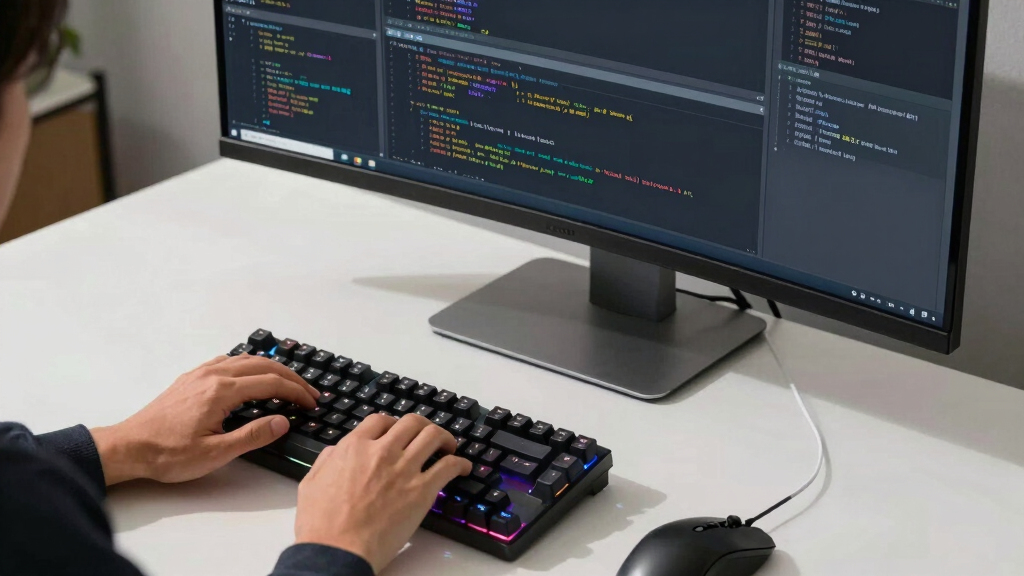
How We Picked
Our selection process focused on monitors that excel in programming environments, emphasizing screen size, resolution, connectivity, ergonomic features, and overall value. We compared specifications like aspect ratio, color coverage, refresh rate, and adjustability, while considering user reviews and professional testing reports. Each product was evaluated for how well it supports multitasking, reduces eye strain, and integrates into a typical developer’s workspace. The goal was to identify options suitable for different priorities, from budget-conscious buyers to high-end professionals.
| ultrawide monitors for programming | Connectivity | HDR |
|---|---|---|
| Sceptre 34-Inch Curved Ultrawi | DisplayPort x2, HDMI 2.0 x2 | — |
| LG 34U650A-B 34-inch UltraWide | USB-C, HDMI, DisplayPort | HDR10 |
| Samsung 49” Business Curved Ul | DisplayPort, HDMI, USB-C | VESA DisplayHDR 400 |
| Dell 34 Plus USB-C Curved Moni | USB-C (up to 65W) | — |
| LG 34WR55QK-B 34-inch UltraWid | — | HDR10 |
Factors to Consider When Choosing Ultrawide Monitors For Programming
When selecting an ultrawide monitor for programming, consider how screen real estate, resolution, ergonomic features, and connectivity fit your workflow. Balancing these aspects ensures a setup that enhances productivity without sacrificing comfort or budget.Screen Size and Resolution
The size and resolution determine how much you can view at once. A 34-inch ultrawide with 3440×1440 resolution offers ample space for multiple windows, reducing the need to switch between tabs. Larger sizes like 49 inches provide an immersive experience but require more desk space and may be overkill for some workflows.
Ergonomics and Adjustability
Long coding sessions benefit from monitors with height, tilt, and swivel adjustments. An adjustable stand minimizes neck strain and allows you to find a comfortable viewing angle. Monitors lacking these features may cause discomfort over time, especially during extended work hours.
Connectivity and Compatibility
USB-C with power delivery helps streamline your desk setup by combining video, data, and charging into a single cable. Consider your device compatibility and whether the monitor supports your graphics card’s output. Additional ports like HDMI and DisplayPort expand connectivity options for multiple devices.
Color Accuracy and Panel Type
If your work involves color-sensitive tasks, look for monitors with high sRGB or DCI-P3 coverage and IPS panels. VA panels excel in contrast but may have slower response times, which matter less for programming but more for gaming or media editing.
Frequently Asked Questions
What size is best for programming?
Most programmers find that a 34-inch ultrawide monitor with 3440×1440 resolution offers a good balance between screen space and desk fit. Larger sizes like 49 inches provide maximum real estate but can be overwhelming or impractical for smaller workspaces.
Is a higher refresh rate necessary for programming?
While higher refresh rates like 120Hz or 180Hz improve smoothness during fast scrolling or gaming, they are less critical for static coding tasks. Most programming setups function well at 60Hz to 100Hz, with higher rates mainly benefiting gamers or video editors.
Do I need an ergonomic stand?
Yes, especially if you spend long hours coding. An adjustable stand with tilt, swivel, and height controls helps maintain good posture and reduces strain. Monitors without these features may cause discomfort over time.
Are ultrawide monitors good for color work?
Yes, particularly models with IPS panels and high color coverage like 99% sRGB. These monitors deliver accurate colors, making them suitable for creative tasks alongside programming.
Is curved better than flat for coding?
Curved monitors can reduce eye strain by providing a more natural viewing angle across the wide screen, especially at larger sizes. However, personal preference and workspace setup influence whether a curved or flat panel is more comfortable.
Conclusion
If you primarily code and multitask, a 34-inch ultrawide like the Dell S3425DW offers excellent value with good performance. Creative professionals requiring accurate colors should consider the LG 34U650A-B for its IPS panel and ergonomic adjustments. Power users or those with ample desk space may find the Samsung 49-inch dual QHD an ideal choice for maximum productivity. Budget-conscious buyers will appreciate the LG 34WR55QK-B for its affordability, while gamers or speed-focused users may prefer the Sceptre for its high refresh rate and fast response time.