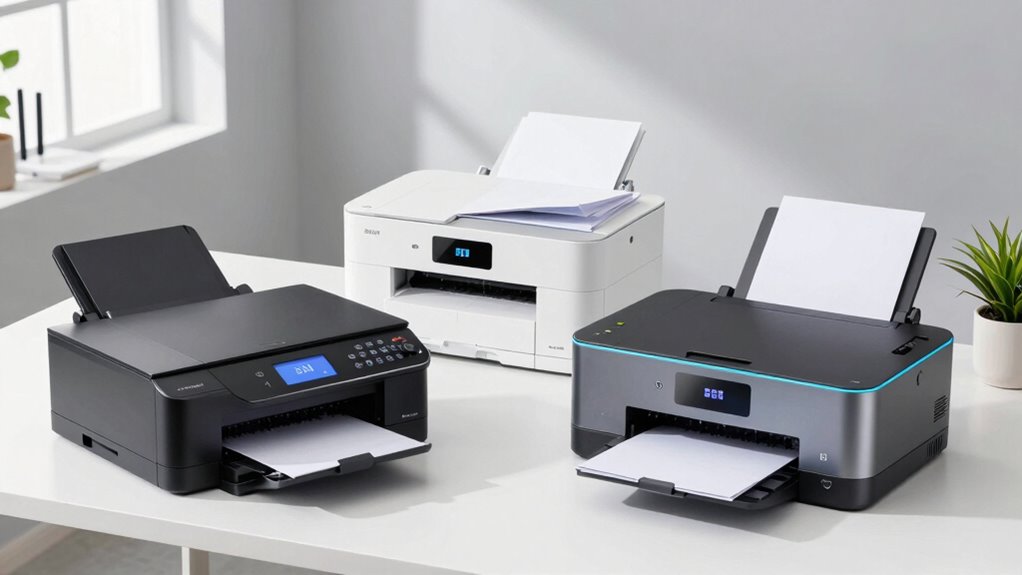
Choosing the right laser printer for your small business depends on balancing speed, functionality, and budget. For those seeking all-in-one capabilities with high volume capacity, the Brother MFC-L8930CDW stands out, though it may be bulky. The HP LaserJet Pro 3101sdw offers a reliable all-in-one experience for small teams, but only in black and white. If space is limited, the HP LaserJet M110w provides quick, easy monochrome printing for solo professionals. Lastly, the Brother HL-L2405W delivers straightforward monochrome printing at a budget-friendly price, suitable for basic needs. I’ll walk through these options, highlighting their strengths and tradeoffs to help you find the best fit for your small business.

Get your next haul delivered free with Prime
- Fast, free delivery on millions of items
- Prime Video, Amazon Music and more included
- Member-only deals all year
Key Takeaways
- All-in-one models like the Brother MFC-L8930CDW are ideal for high-volume, professional-quality printing but tend to be bulkier and more expensive.
- Compact options such as the HP LaserJet M110w excel for small teams needing fast monochrome printing without fuss.
- Color laser printers like the Brother MFC-L8930CDW add versatility but come with higher toner costs and complexity.
- Budget-friendly monochrome models like the Brother HL-L2405W focus on straightforward printing, sacrificing features like duplex or color.
- Wireless connectivity and mobile printing are standard across these models, crucial for flexible office environments.
| Brother DCP-L2640DW Wireless Monochrome Multi-Function Printer, Copy, Scan, Duplex, Mobile Printing |  | Best for Small Offices Needing Compact, Multi-Functionality | Print Speed: up to 36 ppm | Scan Speed: up to 23.6/7.9 ipm | Auto Document Feeder: 50 pages | VIEW ON AMAZON | See Our Full Breakdown |
| HP LaserJet Pro MFP 3101sdw Wireless Black and White All-in-One Laser Printer |  | Best for Small Teams Needing Reliable, Fast Monochrome Output | Print Speed: up to 35 ppm | Functions: Print, Scan, Copy | Auto Duplex: Yes | VIEW ON AMAZON | See Our Full Breakdown |
| Brother MFC-L8930CDW Business Color Laser All-in-One Printer |  | Best for High-Volume Color Printing and Security | Print Speed: up to 33 ppm | Scan Speed: up to 104 ipm | Auto Document Feeder: 80 pages | VIEW ON AMAZON | See Our Full Breakdown |
| HP LaserJet M110w Wireless Black & White Printer |  | Best for Solo Professionals and Small Teams | Print Speed: up to 21 ppm | Connectivity: Wireless, mobile printing | Size: 13.3 x 7.2 x 8.3 inches | VIEW ON AMAZON | See Our Full Breakdown |
| Brother HL-L2405W Wireless Monochrome Laser Printer with Mobile Printing |  | Best Budget-Friendly Monochrome Laser Printer | Print Speed: 30 ppm | Connectivity: Wireless (dual-band Wi-Fi), USB | Paper Capacity: 250 sheets | VIEW ON AMAZON | See Our Full Breakdown |
| laser printers for small business | Print Speed | Connectivity |
|---|---|---|
| Brother DCP-L2640DW Wireless M | up to 36 ppm | Dual-band wireless, Ethernet, USB |
| HP LaserJet Pro MFP 3101sdw Wi | up to 35 ppm | Wireless |
| Brother MFC-L8930CDW Business | up to 33 ppm | Wi-Fi dual-band, Gigabit Ethernet |
| HP LaserJet M110w Wireless Bla | up to 21 ppm | Wireless, mobile printing |
| Brother HL-L2405W Wireless Mon | 30 ppm | Wireless (dual-band Wi-Fi), USB |
More Details on Our Top Picks
Brother DCP-L2640DW Wireless Monochrome Multi-Function Printer, Copy, Scan, Duplex, Mobile Printing
The Brother DCP-L2640DW stands out for its compact size and comprehensive features, making it ideal for small offices with limited space. It combines printing, scanning, and copying with fast speeds—up to 36 ppm—and supports wireless and Ethernet connectivity, offering flexible placement options. Its 50-page auto document feeder boosts efficiency for routine tasks. Compared with larger, color-capable models, this device is limited to monochrome output, but it’s a reliable workhorse for teams focused on text-heavy documents. The primary tradeoff here is the lack of color printing, which may be a drawback for businesses needing vibrant marketing materials or graphics. Still, it’s a solid choice for straightforward document workflows.
Pros:- Compact design fits small office spaces
- Fast print and scan speeds
- Multiple connectivity options including wireless and Ethernet
- Supports mobile printing via Brother Mobile Connect app
Cons:- Limited to monochrome printing
- Requires genuine toner for optimal performance
- No color printing capabilities
Best for: Small offices that prioritize speed and multifunctionality in monochrome printing
Not ideal for: Businesses requiring color printing or high-volume scanning of large documents
- Print Speed:up to 36 ppm
- Scan Speed:up to 23.6/7.9 ipm
- Auto Document Feeder:50 pages
- Connectivity:Dual-band wireless, Ethernet, USB
- Compatible Toner:Brother Genuine TN830/TN830XL
- Dimensions:16.1 x 15.7 x 12.5 inches
Our verdict“A dependable monochrome all-in-one for small offices prioritizing speed and space efficiency.”
HP LaserJet Pro MFP 3101sdw Wireless Black and White All-in-One Laser Printer
The HP LaserJet Pro 3101sdw makes an excellent choice for small teams that need reliable, high-speed monochrome printing. With speeds up to 35 ppm and an input tray holding 250 sheets, it’s designed for busy environments where efficiency matters. Its auto duplex feature helps save paper, and built-in wireless connectivity simplifies setup. However, this model is limited to black-and-white printing, which restricts its use for any colorful marketing or presentation materials. It also works only with HP chips or circuitry cartridges, which could lead to higher ongoing costs. Despite that, its speed and durability make it well-suited to small office workflows that focus on document production.
Pros:- Fast printing speed of 35 ppm
- Automatic duplex printing to save paper
- Reliable wireless connectivity
- Ideal for small team workflows
Cons:- Limited to black-and-white output
- Works only with HP cartridges or chips
- No color printing capabilities
Best for: Small teams needing consistent black-and-white printing with minimal fuss
Not ideal for: Businesses requiring color printing or diverse media handling
- Print Speed:up to 35 ppm
- Functions:Print, Scan, Copy
- Auto Duplex:Yes
- Input Tray Capacity:250 sheets
- Connectivity:Wireless
- Dimensions:16.3 x 16.4 x 13.4 inches
Our verdict“A dependable monochrome all-in-one for small teams focused on speed and efficiency.”
Brother MFC-L8930CDW Business Color Laser All-in-One Printer
The Brother MFC-L8930CDW is tailored for businesses demanding high-volume, high-quality color and black-and-white printing. Its fast speeds—up to 33 ppm—and advanced scanning capabilities make it suitable for professional environments. The 7-inch color touchscreen simplifies operation, and security features like NFC badge readers and triple-layer security help protect sensitive data. The device’s high-yield toner cartridges reduce the cost per page over time, but its size may be a challenge in small spaces. Additionally, the setup can be complex for less tech-savvy users, and toner replacement costs are higher due to its high-yield options. This model balances performance and security, ideal for larger small businesses or those with color needs, but it might be overkill for solo entrepreneurs.
Pros:- High-quality color and black printing
- Fast print and scan speeds
- Advanced security features
- Includes high-yield toner cartridges
Cons:- Potentially bulky for small spaces
- Higher toner replacement costs
- Complex setup for some users
Best for: Businesses needing high-volume, professional-quality color and security features
Not ideal for: Small offices with limited space or tight budgets due to higher costs
- Print Speed:up to 33 ppm
- Scan Speed:up to 104 ipm
- Auto Document Feeder:80 pages
- Connectivity:Wi-Fi dual-band, Gigabit Ethernet
- Security:Triple Layer Security, NFC badge reader
- Certifications:EPEAT Gold, ENERGY STAR
Our verdict“A high-capacity, security-focused color laser printer for growing or security-conscious small businesses.”
HP LaserJet M110w Wireless Black & White Printer
The HP LaserJet M110w offers a straightforward solution for solo professionals or tiny teams that need quick, reliable monochrome printing. Its small footprint makes it easy to place anywhere, and with speeds up to 21 ppm, it handles daily tasks efficiently. Wireless and mobile printing support make it easy to set up and use, especially for remote or flexible work setups. The main tradeoff is its limitation to black-and-white printing, which could be restrictive if your business’s needs evolve to require color. Also, it’s designed for small-scale use, so larger volumes or duplex printing are not supported, making it less suitable for high-volume environments.
Pros:- Compact size fits tight spaces
- Fast printing speeds for its class
- Wireless and mobile compatibility
- Easy to set up and operate
Cons:- Limited to monochrome printing
- Requires original HP cartridges with chips
- Not suitable for high-volume printing
Best for: Solo entrepreneurs or very small teams needing quick monochrome output
Not ideal for: Businesses requiring color printing or high-volume tasks
- Print Speed:up to 21 ppm
- Connectivity:Wireless, mobile printing
- Size:13.3 x 7.2 x 8.3 inches
- Compatibility:Microsoft, Mac, AirPrint, Android, Chromebook
- Paper Handling:150 sheets
Our verdict“A compact, easy-to-use monochrome printer perfect for individual professionals or small teams.”
Brother HL-L2405W Wireless Monochrome Laser Printer with Mobile Printing
The Brother HL-L2405W serves as a reliable, budget-friendly choice for small offices or home use. It offers a solid speed of 30 ppm and a large 250-sheet paper tray, reducing the need for frequent reloading. Its wireless dual-band Wi-Fi simplifies setup and keeps the device connected across various networks. However, the printer is limited to monochrome output and does not support duplex printing, which might add to paper costs over time. Its simplicity makes it ideal for basic printing needs, but it lacks advanced features like scanning or copying. This model is best suited for users who prioritize straightforward, consistent black-and-white printing at a low cost.
Pros:- Fast printing speed of 30 ppm
- Wireless connectivity with dual-band Wi-Fi
- Large 250-sheet paper tray
- Affordable and reliable
Cons:- Limited to monochrome printing
- No duplex printing
- Toner replacement needed for ongoing use
Best for: Small offices or home-based businesses needing basic monochrome printing
Not ideal for: Businesses that require color output, duplex, or multifunctionality
- Print Speed:30 ppm
- Connectivity:Wireless (dual-band Wi-Fi), USB
- Paper Capacity:250 sheets
- Supported Paper Types:Envelopes, specialty paper
- Warranty:1 year
Our verdict“A practical, cost-effective monochrome laser printer for everyday small business printing needs.”

How We Picked
Our selection process centered on models designed specifically for small business environments, emphasizing speed, connectivity, and multifunctionality. I prioritized devices that balance cost, ease of use, and features like duplex printing, security, and paper capacity. We considered reviews from small business owners, reliability data, and features that support productivity without overwhelming space or budget constraints. The goal was to identify options that serve different small business needs—from solo entrepreneurs to small teams—while highlighting the inherent tradeoffs of each model.
| laser printers for small business | Connectivity |
|---|---|
| Brother DCP-L2640DW Wireless M | Dual-band wireless, Ethernet, USB |
| HP LaserJet Pro MFP 3101sdw Wi | Wireless |
| Brother MFC-L8930CDW Business | Wi-Fi dual-band, Gigabit Ethernet |
| HP LaserJet M110w Wireless Bla | Wireless, mobile printing |
| Brother HL-L2405W Wireless Mon | Wireless (dual-band Wi-Fi), USB |
Factors to Consider When Choosing Laser Printers For Small Business
When selecting a laser printer for your small business, consider the volume of printing, whether you need color or monochrome, and the space available. Multifunction models add versatility but often come at a higher price and larger footprint. Speed and paper capacity matter for high-volume environments, while wireless features support flexible office setups. Understanding these key factors will help you choose a device that balances cost, performance, and features suited to your specific needs.
Size and Space
Evaluate your available office space before choosing a model. Compact printers like the HP LaserJet M110w and Brother HL-L2405W fit small desks or corners, while larger all-in-one devices might require dedicated space. Size considerations also impact ease of setup and placement flexibility.
Volume and Speed
If your business produces a high volume of documents, prioritize printers with fast speeds—around 30-35 ppm—and large paper trays. For light use, slower, smaller models might suffice, saving you money.
Color vs. Monochrome
Decide if you need color printing. Monochrome models like the Brother DCP-L2640DW, HP LaserJet M110w, and Brother HL-L2405W are more affordable and faster for text-only tasks. Color models like the Brother MFC-L8930CDW are better for marketing materials but come with higher costs and complexity.
Connectivity and Features
Wireless and mobile printing features add convenience, especially for flexible or remote work. Multifunctionality, duplex printing, and security features are additional considerations that can streamline workflow and protect sensitive information.
Frequently Asked Questions
What’s the main difference between monochrome and color laser printers?
Monochrome laser printers only print in black and white, making them faster and less expensive to operate, ideal for text-heavy documents. Color laser printers add the ability to print in full color, which is essential for marketing materials, presentations, or any visual content. The tradeoff is higher toner costs and often larger, more complex devices.
Are all laser printers suitable for small business use?
Not all laser printers are designed for small business environments. Some are more suitable for home or single-user setups due to their size, speed, or feature set. For small businesses, look for models that balance size, speed, multifunctionality, and connectivity to meet daily workflow demands efficiently.
How important is wireless connectivity in choosing a laser printer?
Wireless connectivity is highly valuable for small businesses that need flexible placement and shared access among multiple users. It simplifies setup, reduces cable clutter, and supports mobile printing, which is increasingly important in modern work environments.
Should I prioritize speed or print quality?
For most small business needs, speed tends to be more critical, especially when printing large volumes of documents. However, if your business relies on high-quality graphics or color output, then print quality and color accuracy become more important, even if it means sacrificing a bit of speed.
What maintenance or ongoing costs should I expect?
Ongoing costs include toner cartridges, maintenance kits, and potentially replacement parts. High-yield toner cartridges can reduce the frequency and cost of replacements, especially for high-volume printers. Always factor in these costs when choosing a model, balancing initial purchase price with long-term expenses.
Conclusion
For solo professionals or very small teams with basic monochrome needs, models like the HP LaserJet M110w or Brother HL-L2405W are practical and budget-friendly choices. Small offices requiring multifunctionality and faster throughput should consider the Brother DCP-L2640DW, while businesses seeking professional-quality color and security might find the Brother MFC-L8930CDW worth the investment. Ultimately, understanding your volume, space, and feature priorities will guide you to the best laser printer for your small business demands.
Fall Picks

Philips Hue Essential Starter Kit with Bridge and 4 E26 Smart Bulbs
As an affiliate, we earn on qualifying purchases.