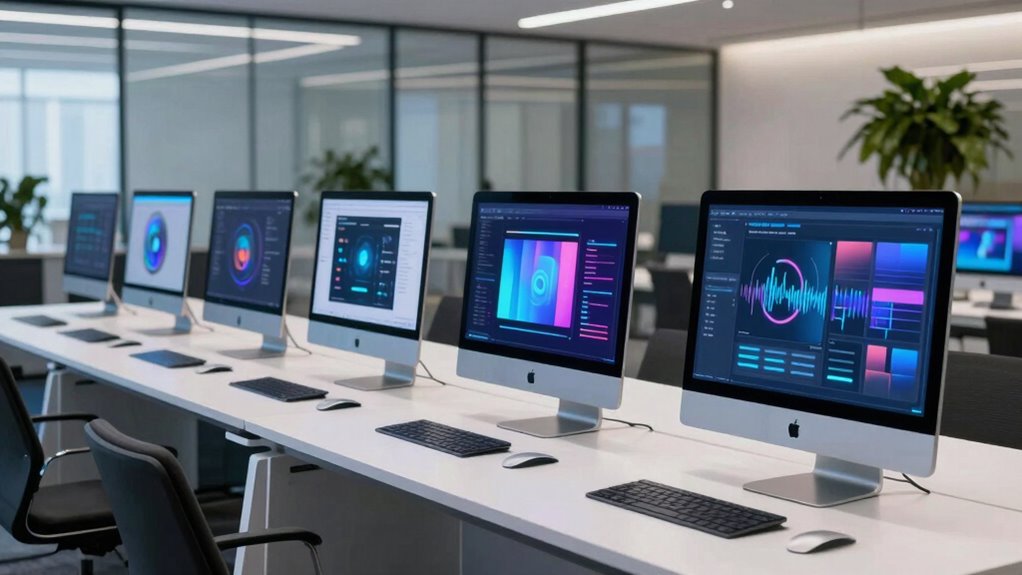

All in one computers combine sleek design with integrated components, making them ideal for those who want a clutter-free workspace without sacrificing performance. The Lenovo IdeaCentre 24 stands out as the best overall choice thanks to its balance of affordability and decent specs. For users needing more power, the Lenovo IdeaCentre 27″ with its high-end Intel Core i7 and 32GB RAM offers a premium experience. Meanwhile, the Dell 27″ provides a solid mid-range option for everyday tasks. The main tradeoffs in this category often involve balancing display size, processing power, and price. Keep reading to see how these picks compare across key factors to help you find the perfect all in one for your setup.

Get your next haul delivered free with Prime
- Fast, free delivery on millions of items
- Prime Video, Amazon Music and more included
- Member-only deals all year
Key Takeaways
- The top models balance performance and price, with premium options offering faster processors and more RAM.
- Display size varies from 22 to 27 inches, affecting workspace comfort and desk space requirements.
- Build quality and design are strong across most brands, but some models sacrifice upgradeability for sleekness.
- Storage options range from 128GB to 1TB SSD, influencing speed and capacity for apps and files.
- Touchscreen features are present in some models, but they often come with a higher price and limited usefulness for most users.
| Lenovo IdeaCentre 24 All-in-One Desktop (Intel N100 Quad-Core, 16GB RAM, 256GB SSD) |  | Best Budget All-in-One for Basic Productivity | Processor: Intel N100 Quad-Core, up to 3.4GHz | RAM: 16GB DDR4 | Storage: 256GB PCIe NVMe SSD | VIEW ON AMAZON | See Our Full Breakdown |
| Lenovo IdeaCentre 27″ All-in-One Desktop, Intel Core i7-13620H, 32GB DDR5, 1TB SSD, Windows 11 Pro |  | Best High-Performance All-in-One for Power Users | Processor: Intel Core i7-13620H (10 Cores, up to 4.9 GHz) | RAM: 32GB DDR5 | Storage: 1TB PCIe SSD | VIEW ON AMAZON | See Our Full Breakdown |
| Dell 27″ All-in-One Desktop, FHD, Intel Core 5 120U, Windows 11 Home |  | Best For Everyday Productivity and Video Calls | Processor: Intel Core i5-120U | RAM: 8GB | Storage: No internal storage, relies on external | VIEW ON AMAZON | See Our Full Breakdown |
| HP 22-Inch FHD All-in-One Desktop Computer with 16GB DDR5 RAM and 128GB UFS Storage |  | Best Compact All-in-One for Space-Constrained Environments | Processor: 13th Gen Intel N100 | RAM: 16GB DDR5 | Storage: 128GB UFS + 512GB external | VIEW ON AMAZON | See Our Full Breakdown |
| Dell 23.8″ FHD Touch All-in-One AI Desktop, Intel Core Ultra 7-355, 16GB DDR5, 1TB SSD (Renewed) |  | Best Touchscreen AI-Enhanced All-in-One for Creative and Productivity Tasks | Processor: Intel Core Ultra 7-355 | Screen Size: 23.8 inches | Display: 1920 x 1080 FHD LCD touchscreen | VIEW ON AMAZON | See Our Full Breakdown |
| HP 24″ OmniStudio All-in-One Desktop Computer |  | Best Overall for Premium Performance and Eco-Friendly Design | Display: 24″ Full HD IPS | Screen-to-body ratio: 90% | RAM: 16GB DDR5 | VIEW ON AMAZON | See Our Full Breakdown |
| HP 24″ OmniStudio All-in-One Desktop Computer, 8GB DDR5 RAM, 128GB UFS |  | Best for Budget-Conscious Users Needing Basic Performance | Screen Size: 23.8 inches | Display: FHD IPS, 99% sRGB, anti-glare | Processor: Intel Core, 4 cores up to 3.8GHz | VIEW ON AMAZON | See Our Full Breakdown |
| all in one computer | Processor | RAM | Storage | Display |
|---|---|---|---|---|
| Lenovo IdeaCentre 24 All-in-On | Intel N100 Quad-Core, up to 3.4GHz | 16GB DDR4 | 256GB PCIe NVMe SSD | 23.8" Full HD IPS, anti-glare, 99% sRGB |
| Lenovo IdeaCentre 27" All-in-O | Intel Core i7-13620H (10 Cores, up to 4.9 GHz) | 32GB DDR5 | 1TB PCIe SSD | 27" FHD IPS, 1080p, 99% sRGB, 100Hz |
| Dell 27" All-in-One Desktop | Intel Core i5-120U | 8GB | No internal storage, relies on external | 27" FHD IPS, HDR camera |
| HP 22-Inch FHD All-in-One Desk | 13th Gen Intel N100 | 16GB DDR5 | 128GB UFS + 512GB external | 21.5" Full HD IPS |
| Dell 23.8" FHD Touch All-in-On | Intel Core Ultra 7-355 | 16 GB DDR5 | 1 TB SSD | 1920 x 1080 FHD LCD touchscreen |
| HP 24" OmniStudio All-in-One D | Intel | 16GB DDR5 | 640GB SSD | 24" Full HD IPS |
| HP 24" OmniStudio All-in-One D | Intel Core, 4 cores up to 3.8GHz | 8GB DDR5 | 128GB UFS | FHD IPS, 99% sRGB, anti-glare |
More Details on Our Top Picks
Lenovo IdeaCentre 24 All-in-One Desktop (Intel N100 Quad-Core, 16GB RAM, 256GB SSD)
This Lenovo IdeaCentre 24 stands out for its space-saving design and solid multitasking capabilities, thanks to 16GB of RAM and a speedy NVMe SSD, making it a good choice for everyday tasks. Compared with the Dell 27″ (B0F2GBJGLZ), it offers a more compact footprint but sacrifices display size and higher-end processing power. Its entry-level Intel N100 processor limits performance for demanding workloads, but it handles web browsing, office apps, and media streaming with ease. The 256GB storage may fill quickly if you store many files locally, but for light use, it’s sufficient. This pick makes the most sense for users who need a tidy, affordable computer for basic work and entertainment. However, power users or gamers should skip it due to limited graphics and processing performance.
Pros:- Space-efficient all-in-one design reduces clutter
- Generous 16GB RAM supports smooth multitasking
- Fast NVMe SSD provides quick boot and load times
- Modern Wi-Fi 6 and Bluetooth 5.2 connectivity
Cons:- Limited to entry-level Intel N100 processor, not for demanding apps
- Only 256GB storage may require external drives for larger needs
- Integrated graphics restrict gaming and high-end graphics tasks
Best for: Budget-conscious students or home users needing reliable basic computing
Not ideal for: Power users needing heavy multitasking or creative work with large files
- Processor:Intel N100 Quad-Core, up to 3.4GHz
- RAM:16GB DDR4
- Storage:256GB PCIe NVMe SSD
- Display:23.8″ Full HD IPS, anti-glare, 99% sRGB
- Graphics:Intel UHD Graphics
- Connectivity:Wi-Fi 6, Bluetooth 5.2
- Ports:4x USB-A, HDMI-out, Ethernet
- OS:Windows 11 Home
Our verdict“This model suits buyers seeking an affordable, tidy all-in-one for everyday use without high-performance demands.”
Lenovo IdeaCentre 27″ All-in-One Desktop, Intel Core i7-13620H, 32GB DDR5, 1TB SSD, Windows 11 Pro
This 27″ Lenovo offers a compelling mix of power and display quality, featuring a 10-core Intel Core i7-13620H, 32GB DDR5 RAM, and a 1TB SSD, making it well-suited for demanding multitasking, content creation, and professional workflows. Compared to the Dell 27″ (B0F2GBJGLZ), it provides a more robust processor and significantly more RAM, enabling smoother handling of intensive apps. Its 1080p resolution on a large screen might feel limiting for some creative tasks that benefit from 1440p or 4K, but for most office and media tasks, it’s sufficient. The inclusion of Windows 11 Pro adds enterprise features that benefit business users. This pick is ideal for tech enthusiasts or professionals who need serious processing power but might find the lower resolution less appealing for detailed visual work.
Pros:- Powerful 10-core i7 processor handles demanding apps
- Ample 32GB DDR5 RAM supports heavy multitasking
- Fast 1TB SSD accelerates workflows and file access
- Includes Windows 11 Pro for enhanced security and management
Cons:- 1080p display may be insufficient for detailed visual tasks
- No touch capability on the screen
- Higher price point compared to lower-spec models
Best for: Creative professionals, power users, or small business teams needing robust multitasking
Not ideal for: Those seeking a 4K display for high-end visual editing or gaming
- Processor:Intel Core i7-13620H (10 Cores, up to 4.9 GHz)
- RAM:32GB DDR5
- Storage:1TB PCIe SSD
- Display:27″ FHD IPS, 1080p, 99% sRGB, 100Hz
- Graphics:Intel Integrated
- Connectivity:Wi-Fi 6, USB-C, HDMI-in/out
- Ports:4x USB, 1x USB-C, HDMI in/out
- OS:Windows 11 Pro
Our verdict“This model fits buyers needing a high-performance all-in-one with a large screen for intensive work and multitasking.”
Dell 27″ All-in-One Desktop, FHD, Intel Core 5 120U, Windows 11 Home
The Dell 27″ All-in-One offers vivid visuals with a 99% sRGB IPS display, HDR camera, and a sleek stand that minimizes clutter, making it a solid choice for home and office tasks. With an Intel Core i5-120U and integrated graphics, it’s designed for daily productivity, media consumption, and video conferencing. Compared to the Lenovo 24″ (B0DZCGVZ1C), the Dell provides a larger display but features a less powerful processor and lower RAM capacity, which could limit multitasking ability in demanding workflows. Its 1080p screen on a 27-inch panel is a compromise that favors visual comfort over resolution sharpness. The stand’s design helps keep your workspace tidy, but upgrade options are limited due to the all-in-one form factor. It’s best suited for users who prioritize a large, vivid display for everyday tasks over heavy multitasking or high-end performance.
Pros:- Vivid 99% sRGB IPS display with HDR camera
- Clutter-free stand with integrated webcam
- Good for media consumption and video conferencing
- Reliable Windows 11 Home included
Cons:- Processor and RAM are limited for demanding multitasking
- Only 1080p resolution on a 27″ screen may affect clarity
- Limited upgradeability due to all-in-one design
Best for: Home users, students, or remote workers focused on video calls, media, and light productivity
Not ideal for: Power users or those running heavy editing or multitasking applications
- Processor:Intel Core i5-120U
- RAM:8GB
- Storage:No internal storage, relies on external
- Display:27″ FHD IPS, HDR camera
- Graphics:Integrated Intel Graphics
- Connectivity:Wi-Fi 6, Bluetooth
- Ports:USB, HDMI, Ethernet
- OS:Windows 11 Home
Our verdict“This computer suits users seeking a large, colorful display for everyday tasks and video calls without the need for high-end specs.”
HP 22-Inch FHD All-in-One Desktop Computer with 16GB DDR5 RAM and 128GB UFS Storage
This HP 22-inch model excels in tight spaces with its small footprint and decent performance, featuring a 13th Gen Intel N100, 16GB DDR5 RAM, and a 128GB UFS drive supplemented by a 512GB external. It’s a good fit for basic productivity, web browsing, and light office work, especially where desk space is limited. Compared to the Lenovo IdeaCentre 24, it has a smaller, more compact form factor, but the internal storage is more limited, making external drives necessary for most users. Its 22-inch screen offers less workspace than larger models, which can hinder multitasking or detailed work. The all-in-one design limits upgrade options, but for those with very limited space or minimal performance needs, it provides a practical solution.
Pros:- Compact size ideal for tight spaces
- 16GB DDR5 RAM supports smooth multitasking
- Includes Windows 11 and Office 365 web
- Built-in webcam and stereo speakers
Cons:- 128GB internal storage is limited, external drives needed
- All-in-one design restricts future upgrades
- Smaller screen reduces workspace for multitasking
Best for: Small apartments or desks where space is tight, users doing light office and browsing tasks
Not ideal for: Power users or creative professionals needing larger screens or more storage
- Processor:13th Gen Intel N100
- RAM:16GB DDR5
- Storage:128GB UFS + 512GB external
- Display:21.5″ Full HD IPS
- Graphics:Intel UHD Graphics
- Connectivity:Wi-Fi 6, Bluetooth 5.3
- Ports:USB-C, USB-A, HDMI
- OS:Windows 11
Our verdict“This model is best for users with limited space who need basic computing and light multitasking.”
Dell 23.8″ FHD Touch All-in-One AI Desktop, Intel Core Ultra 7-355, 16GB DDR5, 1TB SSD (Renewed)
This renewed Dell model combines a responsive 23.8-inch touchscreen with integrated AI features, powered by the new Intel Core Ultra 7-355 processor, 16GB DDR5 RAM, and a sizable 1TB SSD. Its pen support and AI Copilot capabilities make it suitable for creative tasks, note-taking, and meetings. Compared to the Lenovo IdeaCentre 24, it offers a larger, touch-enabled display and AI-enhanced productivity, but being renewed could raise concerns about longevity and reliability. The 1080p resolution on a 23.8-inch screen provides good clarity for most tasks, and Wi-Fi 7 ensures fast connectivity. Its all-in-one form factor limits upgradeability but offers a compelling combination of touch, AI, and performance for those who value interactivity and smart features.
Pros:- Large, responsive 23.8″ touchscreen with pen support
- Built-in AI Copilot enhances productivity and editing
- Fast Wi-Fi 7 connectivity for seamless online use
- Generous 16GB DDR5 RAM and 1TB SSD for speed and storage
Cons:- Refurbished condition may impact long-term durability
- Integrated graphics limit gaming and high-end graphics work
- 1080p resolution might be less sharp on larger display
Best for: Creative professionals, students, or remote workers interested in AI features and touch interaction
Not ideal for: High-end gaming or intensive graphics editing requiring dedicated GPU
- Processor:Intel Core Ultra 7-355
- Screen Size:23.8 inches
- Display:1920 x 1080 FHD LCD touchscreen
- RAM:16 GB DDR5
- Storage:1 TB SSD
- Connectivity:Wi-Fi 7, Ethernet
- Ports:USB-C, HDMI, USB 3.2, USB 2.0
- Operating System:Windows 11 Home
Our verdict“This renewed model offers a smart, interactive experience ideal for users who value AI features and touch capabilities, with some caution about its refurbished status.”
HP 24″ OmniStudio All-in-One Desktop Computer
The HP 24″ OmniStudio stands out for its stunning 24-inch Full HD IPS display with ultra-thin bezels, offering an immersive viewing experience that surpasses the less vibrant screens of some competitors like the Dell 27″ All-in-One. Its combination of a fast Intel processor and 16GB of DDR5 RAM ensures smooth multitasking, making it ideal for users who need performance without compromise. Unlike the HP 22-Inch model, which has a smaller screen, this model’s larger display enhances productivity and entertainment. The inclusion of a pop-up privacy camera and noise-reducing microphones adds a layer of security and clarity, while its EPEAT Gold and ENERGY STAR certifications make it a more environmentally conscious choice. The main tradeoff is the 640GB SSD, which might be limiting for heavy storage needs, and the processor model isn’t specified, possibly affecting upgrade paths. Overall, this pick makes the most sense for users who want a sleek, powerful, and eco-friendly all-in-one that balances performance with style.
Pros:- Immersive 24-inch Full HD IPS display with ultra-thin bezels
- 16GB DDR5 RAM for smooth multitasking
- Pop-up privacy camera and noise-reducing microphones
- Eco-conscious EPEAT Gold and ENERGY STAR certification
Cons:- Processor model not disclosed, limiting transparency on performance
- Storage capacity of 640GB SSD may be insufficient for heavy media use
Best for: Creative professionals and home users seeking a high-performance, stylish all-in-one with strong multitasking capabilities.
Not ideal for: Heavy users with large media libraries or gaming enthusiasts who require more storage or graphics power.
- Display:24″ Full HD IPS
- Screen-to-body ratio:90%
- RAM:16GB DDR5
- Storage:640GB SSD
- Processor:Intel
- Camera:Pop-up privacy camera
- Microphones:Dual with noise reduction
- Certifications:EPEAT Gold, ENERGY STAR
Our verdict“This all-in-one suits users who prioritize a stylish design, strong multitasking, and eco-conscious features over maximum storage capacity.”
HP 24″ OmniStudio All-in-One Desktop Computer, 8GB DDR5 RAM, 128GB UFS
The HP OmniStudio 24″ with 8GB of DDR5 RAM and 128GB UFS storage offers a compact, modern design that fits neatly into small spaces, making it suitable for casual users or those with minimal storage needs. Its 23.8-inch Full HD IPS display with 99% sRGB coverage ensures vibrant colors, ideal for everyday tasks and media consumption, especially when compared to the less color-accurate options like the Dell 23.8″ FHD Touch model. The inclusion of WiFi 6 and Bluetooth 5.2 supports fast, reliable wireless connections, while the wired keyboard and mouse keep setup straightforward. However, the 128GB storage fills quickly for users with larger files, and the 8GB RAM may struggle under heavier multitasking loads, unlike the more robust 16GB options. The mono microphone might not be ideal for conference calls, which could be a drawback for remote workers. Overall, this model is best for basic users who value space-saving and modern connectivity without needing extensive storage or processing power.
Pros:- Vibrant 23.8-inch FHD IPS display with 99% sRGB color accuracy
- Modern connectivity including WiFi 6 and Bluetooth 5.2
- Space-saving all-in-one design with included keyboard and mouse
- Built-in webcam and speakers for video calls
Cons:- Limited 128GB storage, fills up quickly
- 8GB RAM may hinder multitasking with heavier applications
- Mono microphone reduces audio quality for calls
Best for: Students and casual home users with light computing needs and limited desk space.
Not ideal for: Power users or creative professionals who require more storage, RAM, or processing power for demanding tasks.
- Screen Size:23.8 inches
- Display:FHD IPS, 99% sRGB, anti-glare
- Processor:Intel Core, 4 cores up to 3.8GHz
- RAM:8GB DDR5
- Storage:128GB UFS
- Wireless:WiFi 6, Bluetooth 5.2
- Ports:4x USB-A, HDMI-out, Ethernet, audio jack
- Webcam:HD webcam with mono microphone
Our verdict“This all-in-one works well for light users prioritizing space efficiency and modern connectivity over storage and processing power.”
How We Picked
These all in one computers were evaluated based on performance, build quality, display quality, and value for money. We considered processors, RAM, storage options, and connectivity features to ensure each model meets different user needs. Durability and design aesthetics also played a role, alongside user interface ease and other usability factors. The rankings reflect a balance between high-end specs and more affordable options, prioritizing versatility and overall user experience for a variety of budgets and use cases.| all in one computer | Graphics | Connectivity | OS |
|---|---|---|---|
| Lenovo IdeaCentre 24 All-in-On | Intel UHD Graphics | Wi-Fi 6, Bluetooth 5.2 | Windows 11 Home |
| Lenovo IdeaCentre 27" All-in-O | Intel Integrated | Wi-Fi 6, USB-C, HDMI-in/out | Windows 11 Pro |
| Dell 27" All-in-One Desktop | Integrated Intel Graphics | Wi-Fi 6, Bluetooth | Windows 11 Home |
| HP 22-Inch FHD All-in-One Desk | Intel UHD Graphics | Wi-Fi 6, Bluetooth 5.3 | Windows 11 |
| Dell 23.8" FHD Touch All-in-On | — | Wi-Fi 7, Ethernet | — |
| HP 24" OmniStudio All-in-One D | — | — | — |
| HP 24" OmniStudio All-in-One D | — | — | — |
Factors to Consider When Choosing All In One Computers
Choosing the right all in one computer involves more than just looking at specs. You should consider how you’ll use it daily, the space you have available, and your budget. Understanding these factors helps avoid common pitfalls like overpaying for unnecessary power or buying a model that’s too small or underpowered for your needs. Here are key considerations to keep in mind when shopping:Performance and Processor Power
The processor and RAM determine how smoothly your computer runs multiple tasks or intensive applications. For casual browsing and media consumption, a mid-range Intel Core i5 or equivalent is sufficient. However, if you plan to do photo editing, light video editing, or multitasking with demanding software, opting for an Intel Core i7 or higher with at least 16GB RAM will provide a noticeable boost. Avoid underpowered models if you need a machine that can keep up with your workload, as slow performance can quickly frustrate your workflow.
Display Size and Resolution
The size of the display influences your comfort and workspace efficiency. Larger screens (27 inches and above) are better for multitasking and detailed work, but they also take up more space. Resolution matters too—Full HD (1080p) is common, but higher resolutions like 4K can improve clarity and make scaling easier for high-DPI displays. Consider your desk space and whether a touchscreen is necessary—touch-enabled models often cost more but can enhance interaction for certain tasks like design or navigation.
Storage and Expandability
SSD storage accelerates boot times and application load speeds, making it a priority. Most models now include SSDs, but capacities vary from 128GB to 1TB. The larger the storage, the more space you have for files and apps without relying on external drives. Keep in mind that some all in ones have limited upgrade options—if future expandability matters to you, check whether RAM and storage are user-accessible before purchasing. Overpaying for large but unnecessary storage isn’t always wise if your use is light.
Build Quality and Design
Sleek aesthetics are appealing, but they can sometimes come at the expense of durability or upgradeability. Metal frames tend to last longer and look more premium, but they may increase cost. Consider how easy it is to clean or access ports, especially if you plan to connect peripherals regularly. If you want a machine that remains stylish over years, prioritize brands with reputable build quality. Conversely, some budget models may have plastic builds that look decent initially but might wear quickly.
Price and Value
Pricing varies widely based on specs, display, and brand reputation. While paying more often yields better performance and longevity, it’s important to match features to your actual needs. For casual users, mid-range models offer excellent value, but power users might find it worthwhile to invest in premium options. Watch for additional costs like extended warranties or accessories that can inflate the total investment. Remember, the most expensive isn’t always the best choice if it exceeds your requirements.
Frequently Asked Questions
Is a touchscreen necessary on an all in one computer?
Touchscreens can enhance interaction for creative work or navigation, but they are not essential for most users. They often add to the cost and can reduce battery life or durability over time. If you primarily use your computer for browsing, productivity, or media consumption, a non-touch model offers better value. Touch-enabled models make sense for artists or those who prefer a more interactive experience, but for general use, they are a convenience rather than a necessity.
How much performance do I need for everyday tasks?
For routine activities like web browsing, streaming, and document editing, an Intel Core i3 or i5 with 8GB RAM is usually sufficient. These configurations provide a smooth experience without overspending. If your work involves multitasking, light photo editing, or using multiple applications simultaneously, opting for an Intel Core i7 or similar with 16GB RAM offers more headroom. Over-investing in high-end specs for simple tasks can lead to unnecessary costs, so match the hardware to your actual usage.
Should I prioritize a larger display or portability?
The choice depends on your workspace and usage preferences. Larger displays (27 inches) improve multitasking and reduce eye strain but require more desk space and are less portable. Smaller models around 22-24 inches are more compact and easier to move, making them suitable for tight spaces or flexible setups. Consider how often you’ll need to relocate your all in one—if mobility is less critical, a larger screen can significantly boost productivity and comfort.
Are higher resolutions worth the extra cost?
Higher resolutions, like 4K, offer sharper images and better scaling for high-DPI displays, which benefits creative professionals or those working with detailed visuals. However, they also tend to increase the price and can demand more from your GPU. For general use, Full HD (1080p) provides a crisp image without the premium cost. If you value visual clarity and plan to do photo editing or media creation, investing in a higher-resolution display can be worthwhile.
What’s the best way to upgrade an all in one computer?
Many all in one computers have limited upgrade options, especially in terms of storage and RAM. Some models allow user-accessible RAM slots, but others are soldered for a cleaner design. Before purchasing, check the manufacturer’s specifications for upgradeability. If future expansion is important, choose a model known for easy upgrades or with higher initial specs to avoid needing upgrades soon after purchase. Remember, most all in ones are designed to be more integrated and less flexible than traditional desktops.
Conclusion
For general users seeking a reliable, well-rounded all in one, the Lenovo IdeaCentre 24 offers a great balance of features and affordability. Those who need top-tier performance for creative work should consider the Lenovo IdeaCentre 27″ with its high-end specs. Buyers new to all in ones or with limited space might prefer the HP 22-Inch FHD for its simplicity and compact size. Power users and professionals requiring the best display and processing power should look at premium models like the Dell 27″. Ultimately, your choice depends on your specific needs, workspace, and budget.Halloween Picks
halloween
As an affiliate, we earn on qualifying purchases.