
TL;DR

Get your next haul delivered free with Prime
- Fast, free delivery on millions of items
- Prime Video, Amazon Music and more included
- Member-only deals all year
Building an AI workstation used to save money, but recent hardware shortages and price spikes make prebuilt systems equally competitive. Your choice depends on your budget, skills, and how much hassle you’re willing to handle.
Imagine firing up a new AI project and realizing your shiny new GPU is out of stock or double the price you expected. That’s the new normal in 2026. The old rule — build cheaper, buy faster — no longer holds water. Now, it’s a tug-of-war between cost, effort, and support.
This guide cuts through the noise. If you’re eyeing a high-powered AI rig, you need to understand the real trade-offs. Whether you’re a coder with a screwdriver or a busy professional who just wants to get started, this will help you pick the right path.
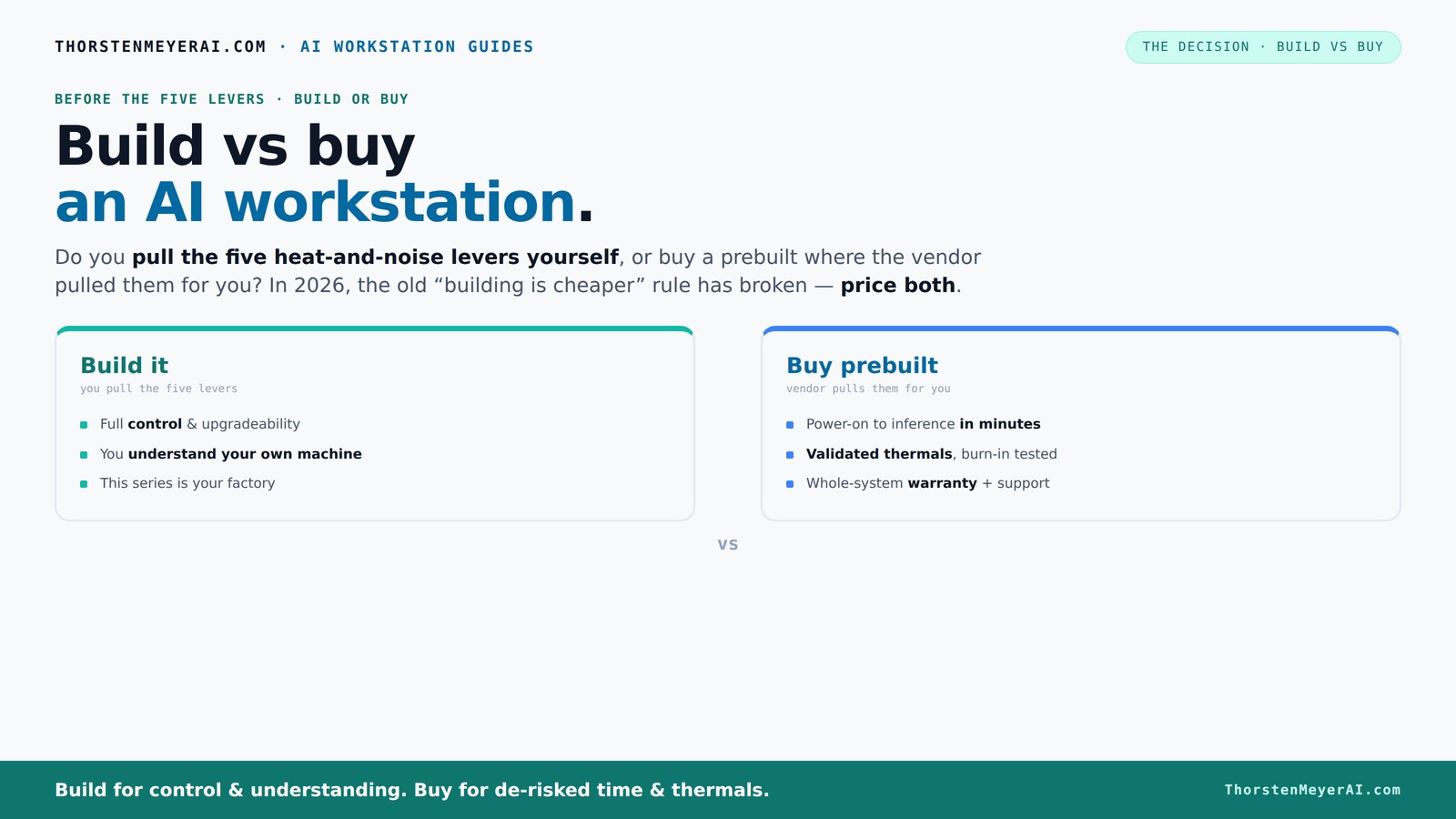
Build vs buy
an AI workstation.
The real question behind this whole series: do you pull the five heat-and-noise levers yourself, or buy a prebuilt where the vendor pulled them for you? And in 2026, the old “building is cheaper” rule has broken. Match your situation in Part 3.
Why Building Your Own AI Workstation Is No Longer Automatically Cheaper
Building your own AI rig used to be the budget-friendly choice. You’d buy parts piecemeal, assembly was straightforward, and the total cost often came in lower than prebuilt options. Not anymore.
Thanks to the current chip shortage and rising component prices, a DIY build that once cost around $3,000 now often hits $4,500 or more. This increase isn't just about raw numbers; it reflects the broader supply chain disruptions that have made high-end components scarce and expensive. When you build yourself, you're vulnerable to these shortages, longer wait times, and price volatility, which can negate the traditional savings. Conversely, big vendors like Puget Systems or Lambda leverage bulk purchasing, allowing them to negotiate discounts that may not be available to individual builders. These economies of scale enable them to offer preconfigured systems at prices that sometimes match or beat DIY setups—sometimes by hundreds of dollars.
This shift has critical implications. It means that the once-clear advantage of building for cost savings is now muddled by market unpredictability. The decision now hinges more on your specific needs, support expectations, and how much time and effort you're willing to invest, rather than just hardware costs alone.
high performance AI workstation prebuilt
As an affiliate, we earn on qualifying purchases.
As an affiliate, we earn on qualifying purchases.
The Five Levers That Make Or Break Your AI Rig’s Heat and Noise — And Who Controls Them
Running a high-end AI workstation is like managing a tiny furnace. The key to keeping it cool and quiet? Five levers: undervolt the GPU, match the cooling system, optimize airflow, tune fans, and place the machine well.
If you build it yourself, you pull these levers. You choose a quiet GPU, undervolt it (for instance, using tools like this guide), and carefully pick a case with good airflow (see options here). This level of control allows you to fine-tune your system to balance performance with noise and heat, which is crucial during prolonged AI training sessions. However, it requires technical knowledge and ongoing adjustments to maintain optimal thermal conditions, especially as components age or workloads change.
Buy a prebuilt? The vendor pulls these levers. They validate thermals, run burn-in tests, and often include water cooling or custom fans to keep noise down. For example, BIZON systems are engineered for 'up to 30% lower noise' with proven thermal performance. These systems are designed with thermal and acoustic optimization in mind, meaning you get a ready-made solution that’s been tested for real-world performance. This reduces your need for hands-on tuning but also limits your ability to customize cooling strategies or noise profiles.
This difference means you’re paying for a machine that’s ready to go, with thermals tested and supported, or you’re investing time and expertise to tune your own. The choice impacts not just initial setup but ongoing maintenance and how well your system performs under sustained loads.
As an affiliate, we earn on qualifying purchases.
When Buying a Prebuilt Is Your Shortcut to a Ready-to-Go AI Machine
If your time is worth more than the extra cost, a prebuilt system can be a lifesaver. It arrives with the OS, drivers, and AI frameworks like CUDA or TensorFlow already installed. Just power on and start training. You can find more about ready-to-go systems at 1hometheatreprojector.com.
Reputable vendors perform extensive testing, ensuring the system won't throttle under load. They handle cooling, power delivery, and even provide support if something breaks. For instance, Lambda’s systems come with a 3-year warranty and are tested for sustained GPU loads. This testing ensures that the thermal design and power delivery are optimized for continuous operation, which is vital for AI workloads that can run for days or weeks without interruption. It also means that you’re less likely to encounter thermal throttling or hardware failures due to inadequate cooling, saving you troubleshooting time and potential downtime.
For multi-GPU setups, prebuilt options are especially appealing because managing thermal and power constraints gets complicated fast. Vendors validate these configurations, reducing your troubleshooting time. This validation is critical because multi-GPU systems generate significant heat and require precise power management; prebuilt systems are engineered to handle these demands reliably, giving you peace of mind and operational stability.
professional AI workstation with support
As an affiliate, we earn on qualifying purchases.
As an affiliate, we earn on qualifying purchases.
When Building Your Own AI Workstation Makes Sense (Even in 2026)
Building your own can still be worthwhile if you enjoy hardware tinkering or want maximum customization. Maybe you want a specific GPU or a unique cooling setup. If you have the time and skills, you can tailor everything for your workload.
For example, you might choose a [quiet GPU](https://thorstenmeyerai.com/quiet-gpus-local-ai/) and undervolt it to reduce heat. Or pick a case with custom airflow to keep temperatures low without noise ([see tips here](https://thorstenmeyerai.com/quiet-case-fans-airflow-setup/)). This level of control allows you to optimize thermal performance precisely for your environment, which can lead to quieter operation and better longevity of components. Additionally, custom cooling solutions can be tailored to your specific noise and temperature preferences, allowing a more refined balance between performance and acoustics. The tradeoff is that this approach requires a good understanding of hardware, ongoing maintenance, and troubleshooting skills.
Plus, you can upgrade over time, swapping out GPUs or adding more RAM, extending your system’s lifespan. But beware — the complexity can be daunting, especially if you're new to hardware. This path is best suited for enthusiasts or professionals who value control and are willing to invest time into customization and maintenance.
As an affiliate, we earn on qualifying purchases.
Comparison Table: Build vs Buy an AI Workstation in 2026
| Feature | Build | Buy (Prebuilt) |
|---|---|---|
| Cost | Potentially lower for high-end specs, but rising due to shortages and market volatility; long-term savings depend on upgrades and maintenance. | Often comparable or cheaper with bulk discounts, especially when factoring in support, warranties, and time saved. |
| Setup Time | Hours to days, including troubleshooting and tuning; requires technical skill and patience. | Minutes to hours, with plug-and-play convenience, ideal for quick deployment. |
| Support & Warranty | Component warranties, user responsible for issues, potential delays during troubleshooting. | Vendor support, comprehensive warranties, and immediate assistance, reducing downtime. |
| Customization | Complete control over parts, cooling, tuning, and future upgrades—best for tailored performance. | Limited, but systems are optimized for high performance; customization options are often restricted by design. |
| Upgradability | Easier to upgrade over time; individual components can be replaced or added as needed. | Some limitations depending on system design; proprietary parts may restrict future upgrades. |
| Thermal Tuning | You do it — undervolt, airflow, fan curves, and custom cooling solutions for optimal thermal performance. | Vendor tunes and validates thermals, providing a ready-to-run system but less flexibility for tuning. |
Key Takeaways for Your AI Workstation Decision
- Component prices have risen significantly, making prebuilt options more competitive than before.
- Thermal management is crucial — prebuilt vendors validate cooling, while building yourself offers full control for optimization.
- Support and warranties are often overlooked but can save headaches later, especially during hardware failures or troubleshooting.
- Time and effort matter: choose prebuilt if you need quick deployment and minimal fuss; build if you enjoy hardware projects and customization.
- Always compare exact configurations — don’t assume build is cheaper anymore, as market conditions have shifted the traditional cost advantage.
Frequently Asked Questions
Is it cheaper to build my own AI workstation in 2026?
Not necessarily. Recent shortages and price hikes mean a prebuilt system can sometimes match or beat the cost of a DIY build, especially when factoring in support and warranties. Additionally, market volatility and supply chain issues mean that building yourself no longer guarantees significant savings. You might spend more time troubleshooting or waiting for parts, which can offset any initial cost advantages. Therefore, consider the value of your time, expertise, and the importance of support when making your decision.What’s the hardest part of building a high-performance AI rig?
Managing thermal performance and power delivery, especially with multiple GPUs. Proper cooling, undervolting, and airflow tuning require expertise and patience. If these elements are not optimized, your system can suffer from thermal throttling, reduced lifespan, or excessive noise. Balancing performance with thermal constraints becomes more complex as hardware demands increase. The tradeoff involves investing time in tuning and understanding hardware intricacies versus relying on preconfigured systems that have been tested for stability and thermal efficiency.Can I upgrade a prebuilt AI workstation later?
Often yes, but it depends on the system design. Some prebuilt models have limited expansion slots or proprietary components, which can restrict future upgrades. For example, certain systems may limit RAM slots or use non-standard connectors, making upgrades more difficult or expensive. Always review the manufacturer's upgrade policies and compatibility before purchasing. If future scalability is a priority, choosing a system with standard components and ample expansion options will provide more flexibility and protect your investment over time.Which GPU should I choose for AI training in 2026?
NVIDIA’s RTX 40 series, A100, or H100 remain top choices, offering a balance of raw power and efficiency for demanding workloads. The decision depends on your specific needs—whether you're focused on raw training speed, energy efficiency, or budget constraints. For instance, A100 and H100 are designed for data centers and enterprise use, providing superior tensor core performance, while RTX 40 series GPUs are more accessible and suitable for high-end workstations. Consider your workload profile, compatibility, and software support when selecting the best GPU for your AI projects.Is cloud AI training better than a local workstation?
It depends. Cloud offers scalability and no hardware investment upfront, which can be ideal for sporadic or highly variable workloads. However, local workstations provide faster data access, lower latency, and more control over your environment, which can be critical for large datasets or sensitive information. Additionally, ongoing costs of cloud services can accumulate over time, potentially exceeding the initial investment in a local system. Your choice should factor in workload consistency, data security, budget, and the need for real-time processing or customization.Conclusion
In 2026, the choice between building and buying a high-end AI workstation comes down to your priorities. If you crave control, customization, and enjoy the process, building can still be rewarding. But if you want a reliable, tested system ready to go — and support when things go wrong — a prebuilt might be your best bet.
Think of it like choosing between a handcrafted suit and a tailored off-the-rack. Both can look sharp, but your preference for effort versus convenience guides your decision. Either way, your AI journey is just getting started — make sure your hardware is ready for the ride.
Halloween Picks
halloween
As an affiliate, we earn on qualifying purchases.